

 Get started
 How-to guides
 Reference
 Concepts
 Self-host gallery
 Appendix
Environments and tags
An environment (production, staging, or any name you create) belongs to a project. You put an app in one withPUT /api/v1/apps/{name}/environment or the bulk set-environment action. You can mark an environment protected, and then deploys and promotions into it need confirmation and approval. See Projects, organizations, and environments.
Tags are free-form key or key:value labels that cut across projects. See Tags for the naming rules.
The apps list
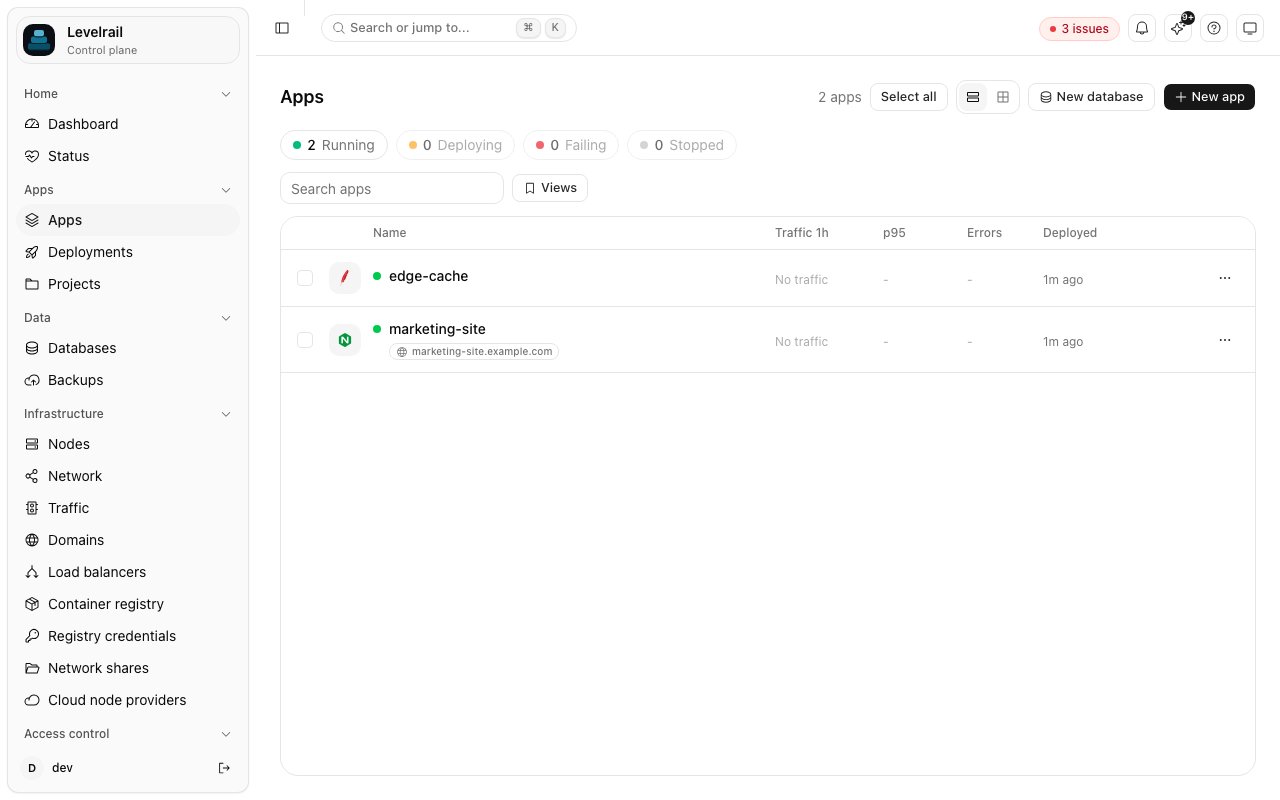
/apps has a status strip (running, deploying, failing, stopped), a search box, environment chips, a tag filter, and a checkbox on every row. The list is virtualized, so hundreds of apps stay responsive.
Saved views store the current search, environments and tags under a name. They live in your browser’s local storage, not on the server. The control plane has no per-user preference store, so a saved view is yours alone and is not shared.
Over the API:
app:<name>) are left out of both.
Bulk actions
Select apps in the list and use the bar that appears at the bottom, or from the CLI:redeploy, restart, stop, start, add-tag, remove-tag, set-environment, move-to-project, delete.
POST /api/v1/apps/bulk takes action, one of names, tag or environment, an optional value, and dry_run. It always answers 207 with one result per app:
Each app is authorized on its own against your abilities and IAM policies, so a denied app never blocks the rest and is never silently dropped. Up to
APP_BULK_CONCURRENCY (default 4) apps run at once, and a request may name at most APP_BULK_MAX_APPS (default 200).
delete needs confirm_names equal to the exact set of target apps. The dashboard and CLI run a dry run first and fill it from the list you confirmed. Every deleted app gets its own audit log entry. redeploy skips apps in protected environments, so approval flows are never bypassed in bulk.
The MCP server exposes bulk_apps (mutating) and bulk_delete_apps (destructive, gated like other destructive tools).
Clone an app
- Domains are never copied as is, because two apps must not answer the same host. By default the clone has none.
--domain-suffix stgderivesweb-stg.example.comfromweb.example.com. - Secret values are copied only with
--copy-secrets, and only if you holdread:sensitive. Each value is decrypted and encrypted again under the new app’s own key and slot binding. - Volumes are recreated as new, empty volumes. Copying volume data (
--with-data) is not supported. - Scheduled tasks, node placement and deploy history are not copied.
Promote a release
--include-env, env keys the source added or dropped are applied too; keys both apps have keep the destination’s own value.
Guardrails:
- Promoting into an environment named
production, or any protected one, needs--confirm. Protected environments also go through deploy approval. - A source that is unhealthy or whose last deploy failed is refused.
--forceoverrides. - Both apps get an audit log entry.
Related
Tags
Naming rules for the labels bulk actions select on.
Projects, organizations, and environments
Where environments live and how protection works.