

 Get started
 How-to guides
 Reference
 Concepts
 Self-host gallery
 Appendix

- Backup targets: S3-compatible buckets where database and app volume backups are stored.
- Registry credentials: authentication for pulling private images from external registries.
- The built-in registry: Levelrail’s own
registry:2container for pushing and caching images locally.
Backup lifecycle at a glance
Quick start
1
Connect a backup target
--provider accepts aws, r2, or custom. --endpoint is required for r2 and custom, and aws must omit it (AWS resolves its own endpoint per region). For Backblaze B2, Wasabi, or MinIO, use Object storage to connect the bucket as a storage destination: the same record shows up under backup targets.2
Test the credential
3
Schedule a database's backups against it
4
Schedule an app volume's backups against the same target
Why a backup target is its own resource
A backup target is not a field on a database or volume. It is a separate resource that any number of databases and app volumes reference by ID. You connect a bucket once in Settings, Backup targets, every backup schedule references it bytarget_id, and rotating a leaked access key happens in one place.
Credentials are write-only
Credentials never round-trip through the API.access_key_idandsecret_access_keyare accepted only in create and update request bodies.- They are written to the secrets store before the backup target record is saved, so a failed save never orphans a credential.
GETandPUTresponses never echo credential fields, and error responses never include them.
password field is accepted, it is written to the secrets store first, and it is never echoed back. When you reference a registry credential in app.yaml by name, the deploy authenticates without the password being stored in the file.
Every write endpoint on this page returns 501 if the control plane has no master key configured, because none of these resources can hold a working credential without one.
Test a connection before it is needed
Both resources expose aPOST .../test endpoint that validates the credential without doing the real operation.
- Backup target
- Registry credential
POST /api/v1/backup-targets/{id}/test calls HeadBucket against the bucket. Nothing is uploaded or deleted.401or403: authentication rejected. Check the access key ID and secret access key.404: bucket not found. Check the bucket name, region, and endpoint.- Anything else: the backup target could not be reached.
levelrail-cli backup-targets test <id>. Dashboard: the Test connection button on each row of the Backup targets table.HeadBucket proves the bucket exists and can be reached, but not that the key can write or delete, which backups and pruning need. A storage destination’s connection test (levelrail-cli storage test <id>) does a full write, read, and delete round trip, see Object storage.Database and app volume backups
A backup target does not know what it is backing up: databases and app volumes reference the sametarget_id.
Both trigger endpoints validate
target_id against a real backup target, create a backup history record, start the dump-and-upload (or volume-tar-and-upload) in the background, and return 202 Accepted immediately. Poll the history endpoint to see the result: status starts at running.
A database dump and a volume archive both stream from their source to the bucket and never touch local disk. The one local write is the backup’s own history row, in the control plane’s SQLite database under APP_DATA_DIR. Before starting, the control plane checks free space there and fails fast with 507 instead of failing confusingly partway through. The floor is APP_MIN_BACKUP_DISK_MB (default 256); an unconfigured or unreadable data directory skips the check.
Schedules
Database schedules are stored on the database itself. App volume schedules are stored per named volume, because a service can declare several named volumes inapp.yaml and there is no single “app” to attach one schedule to. Both use the same cron validation (a bad cron string returns 400 at request time), the same retention fields, and the same check that the target exists before saving.
On the dashboard, a database’s schedule form is on its Overview page and an app volume’s is on the app’s Volumes tab. Backup targets themselves are configured account-wide under Settings, Backup targets.
Volume backup commands
App volume backups have the same lifecycle as database backups:Compression, encryption and consistency
New app volume backups are streamed as tar, compressed with zstd and encrypted with age on the control plane before upload, so the bucket only ever holds ciphertext. Each backup records its encoding, so backups from before this feature stay restorable. The key, retention buckets, consistency hooks and size and time budgets are covered in Prove your backups work. Database dumps are not re-encoded: they stream straight from the dump command as before.Restore to a new volume, app or node
POST /api/v1/apps/{name}/volumes/{volume}/restore-to restores a volume backup into a new volume and never writes to an existing one. It takes an optional target_app (names the volume for that app so deploying it mounts the data), an optional node_id, and an optional new_volume_name. On the CLI:
Instance-wide backup visibility
GET /api/v1/backups (newest first, cursor-paginated with ?limit=&before=) lists backups across every database and app volume. Each entry carries resource_kind (database or volume) and identity fields (database_name, or service_name and volume_name).
On the CLI the attempt history is levelrail-cli backups list-all [--limit N] [--before RFC3339] and the health view is levelrail-cli backups health.
Coverage: what is and is not protected
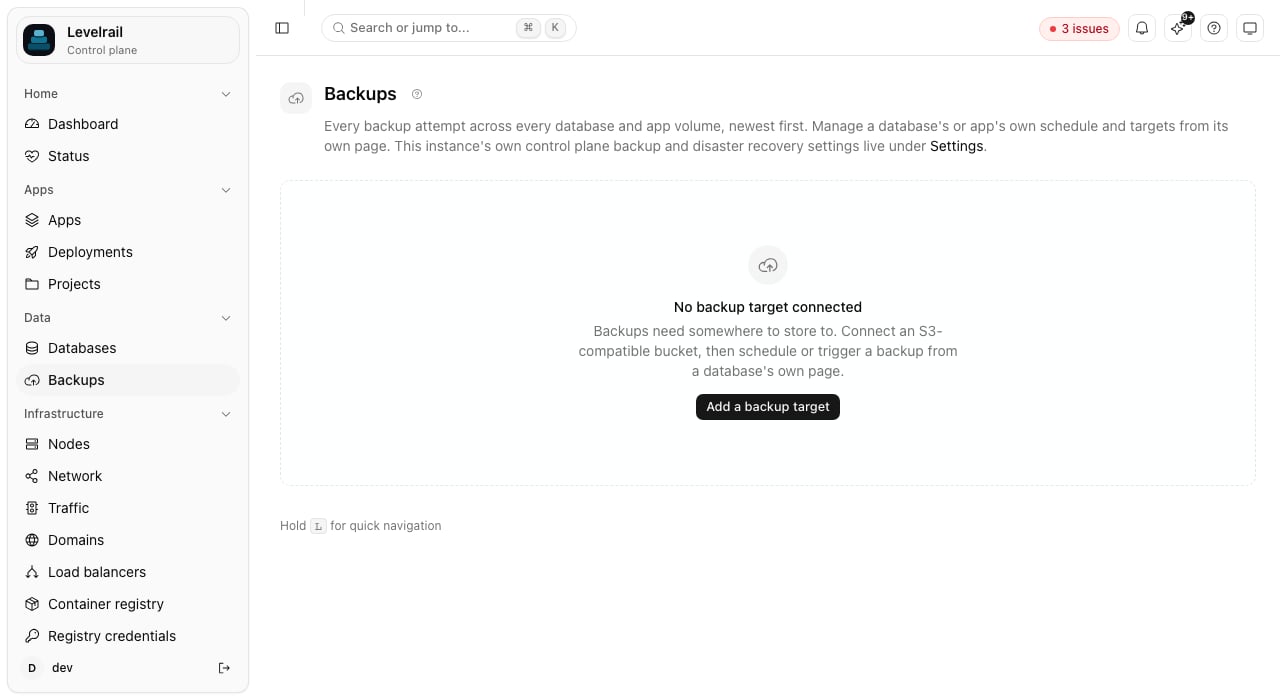
The top-level Backups page leads with coverage, not history. It answers “is everything backed up, and has a restore been proven?” at a glance:- A summary: how many resources are protected, the last verified restore, the next run and the storage used.
- One row for every database and every app volume, protected or not, each with a state and one primary action.
- A compact card for encryption and bucket safety, a small timeline of restore drills, an Orphaned data panel, and a collapsed Recent activity section holding the attempt history.
A resource counts as protected only when it is scheduled and has a successful backup. Preview environments and canaries are marked Scratch and left out of the totals.
Protect everything (
POST /api/v1/backups/protect-all) schedules every unprotected resource in one step. You pick a destination (or connect one inline from a provider preset: Cloudflare R2, Backblaze B2, Wasabi, AWS S3, MinIO, or local disk), a schedule, and how many backups to keep. The dialog previews the plan first, and nothing changes until you apply. Scratch resources are off unless you opt in. The same flow on the CLI:
APP_BACKUP_DEFAULT_SCHEDULE (default 0 3 * * *), APP_BACKUP_DEFAULT_RETAIN (default 7) and APP_BACKUP_DEFAULT_RETAIN_DAYS (default 30). They are suggestions: a database without a schedule shows them on its own Backups card once a destination exists, and applies them only when you click. The dashboard also shows a recommendation when resources are not backed up.
The encryption key
The card shows whether new volume backups are encrypted. The public key is never printed on the page: use Copy public key in the disclosure. The private key must be stored off this server, or encrypted backups cannot be restored after a disaster. Until you confirm that you did (POST /api/v1/backups/encryption-key/ack), the card keeps a warning. The confirmation is a statement from you, not something the control plane can verify, and it is tied to the public key, so rotating the key asks again.
Orphaned data
Deleting a database or app does not delete its Docker volumes, so a mistaken delete never destroys data. Volumes this control plane created whose database or app no longer exists are listed under Orphaned data with size, age, which resource they belonged to, and the last backup of it (a volume with no backup is flagged).- Inspect shows the volume, its role (data, certificates, WAL archive), its creation time and its last backup.
- Reclaim deletes the volume after you type its name. The server re-checks that it is still orphaned and not mounted, so a volume an app started using again is refused.
- Nothing is ever deleted automatically.
- When orphaned data exceeds
APP_ATTENTION_ORPHAN_BYTES(default 1 GiB), a recommendation appears on the dashboard.
--delete-data --confirm NAME on levelrail-cli databases delete and levelrail-cli apps delete. The API takes ?delete_data=true&confirm=NAME and needs write:sensitive. It only works for resources on the control plane’s own node, and the volumes are removed after the containers are gone, so a teardown that has not finished leaves them listed as orphaned data instead.
Retention
Retention has two independent dimensions, both optional:retain(count): keep the newest N successful backups bystarted_at.retain_days(age): keep only backups less than N days old.
retain: 7 and retain_days: 30, you keep at most the 7 newest backups, and never anything older than 30 days. 0 disables a dimension, and 0 for both disables pruning.
Pruning runs after every scheduled backup that succeeds, not after manual ones. A pruning failure is logged and does not fail the backup, which is already durably recorded. The dashboard’s schedule form defaults a new database’s “keep last N backups” to 7 and “delete backups older than (days)” to 0 (no age limit).
Delete one backup on demand
Retention removes old backups automatically. To delete one specific backup right now without touching the schedule:- CLI:
levelrail-cli backups delete <database> <backup-id>orlevelrail-cli app-volume-backups delete <app> <volume> <backup-id> - API:
DELETE /api/v1/databases/{name}/backups/{historyId}orDELETE /api/v1/apps/{name}/volumes/{volume}/backups/{historyId} - Dashboard: the Delete action on every non-running backup row, behind a confirm dialog.
--confirm flag. The stored object is removed first (best effort), then the history row. If the object is already gone, the target was deleted, or storage returns an error, the failure is logged and the row is removed anyway, so an explicit delete is never stuck in the history. A backup that is still running cannot be deleted (409). The endpoint needs write:sensitive.
Alert on a missing or failing backup
Arestore_drill_failed rule fires while any resource’s latest restore drill is failed. A backup_missing alert rule watches each database’s and app volume’s backup schedule. It fires when the last successful backup trails the expected interval by more than the rule’s for_duration (default 6 hours). It reads the same schedule and history rows the scheduler uses, so it catches both a schedule that silently stopped running and repeated failures with no recent success. It notifies through your normal alert channels. See Observability for the rule table and setup.
Registry credentials
Registry credentials authenticate to external registries such as Docker Hub or ghcr.io, so deploys can pull private images.1
Create the credential
--expires-at RFC3339 records an expiry you already know, such as a GitHub token’s.2
Reference it from app.yaml
3
Test it before the next deploy relies on it
expires_at is informational: it drives a healthy, expiring soon, or expired badge (like TLS certificates), and nothing blocks a deploy from using an expired credential. There is no automatic rotation.
The built-in container registry
The built-in registry is Levelrail’s ownregistry:2 container, a local image distribution point with no external dependency. It is separate from registry credentials above.
Enable it
PUT /api/v1/settings/registry with enabled: true and the host. It generates the fixed username levelrail and a random password, and returns the password once. If you lose it, disable and re-enable to get a new one. Later calls (changing the host, re-enabling) leave existing credentials untouched.
levelrail-cli registry disable (DELETE /api/v1/settings/registry) clears the generated credentials and is idempotent.
Browse repositories and tags
Repositories and tags come from the running registry’s HTTP API v2 catalog, authenticated server-side, so the caller never needs the password. On the dashboard, the “Existing image” picker when creating an app uses this. On the CLI:What has been tested, and limits
These ran end to end against a real S3-compatible endpoint (SeaweedFS) and real database containers:
Limits to know about:
- A backup is a logical dump (
pg_dump,mysqldump,mongodump, an RDB snapshot). It is consistent per database but not a physical copy. For Postgres, use point-in-time restore when you need to recover to an exact second. - Verification catches a damaged or truncated object. It does not prove the dump restores cleanly. Restore drills do: they restore into a scratch resource, validate it and destroy it, automatically once a week by default. See Prove your backups work.
- Deleting a database keeps its data volume and your backups. See Managing databases.
- The free-space floor protects the control plane’s data directory. Nothing watches the Docker host’s own disk for a major upgrade’s snapshot copy: a copy that runs out of space fails the upgrade before it changes anything.
- WAL for point-in-time restore is shipped to the backup target only for databases on the control plane’s own node.
- A storage endpoint must resolve to a public address unless
APP_NOTIFY_ALLOW_PRIVATE_NETWORKS=trueis set, which a MinIO on the same private network needs. - Deleting a backup target leaves its stored access key and secret in the secrets store, unreferenced and unreachable through the API but not erased at rest. Registry credentials behave the same way.
API reference
CLI
Next steps
Managing databases
Restore, point-in-time recovery, and backup verification.
Object storage
Connect Backblaze B2, Wasabi, MinIO, and other S3-compatible buckets.
Observability
Alert rules, including
backup_missing.Deploying apps
Deploy apps that use registry credentials.