

 Get started
 How-to guides
 Reference
 Concepts
 Self-host gallery
 Appendix
Before you start
- A running Levelrail instance and the CLI logged in to it (installing).
- A domain you can point at the server. Bitwarden clients require HTTPS, so a plain
host:portaddress is only good for a first check.
1
Find the template
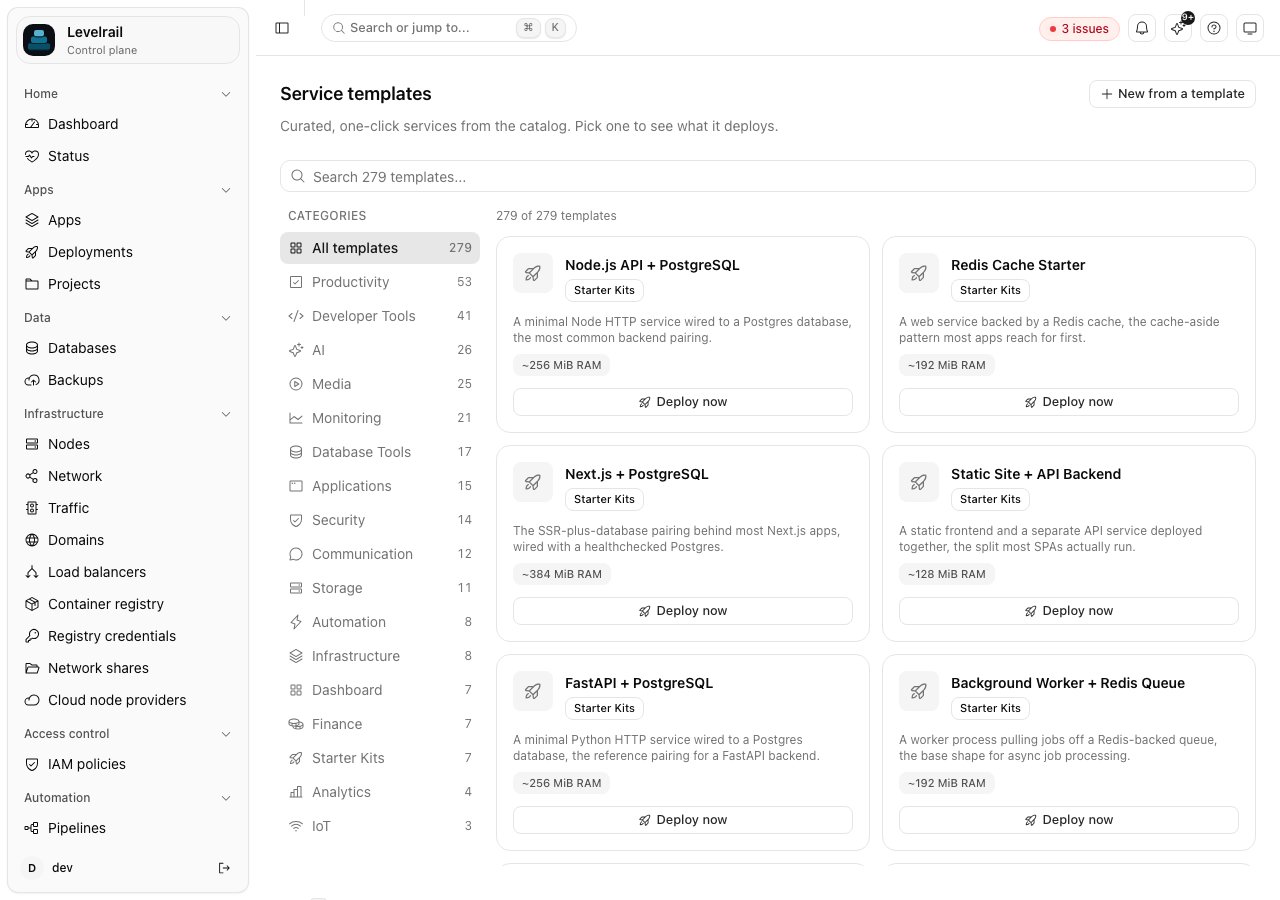
vaultwarden_data volume, a health check, and an ADMIN_TOKEN that Levelrail generates for you.2
Deploy it
<template>-<service>. Here the app is vaultwarden-vaultwarden. Use that name in every command from now on. levelrail-cli apps list shows it.3
Check that it is alive
200 response with a timestamp means it is up.4
Put it on a domain
A record for vault.example.com pointing at your server, then check it with levelrail-cli domains check vaultwarden-vaultwarden vault.example.com.Every routed domain gets a TLS certificate. By default it is self-signed, which Bitwarden clients reject. For clients to connect you need a certificate they trust: either enable Let’s Encrypt under Settings, Domains, or upload your own. See Domains and ingress and the ACME verification runbook if issuance fails.5
Read the admin token
Levelrail generated the admin token when it deployed. Read it from the running container:You will need it for the
/admin page. Treat it like a password. Anyone with this token can administer your instance.Back up the data
Vaultwarden keeps everything, including your vault, in thevaultwarden_data volume. Losing that volume loses every password, so back it up before you rely on it. The health score warns about exactly this:
levelrail-cli app-volume-backups restore vaultwarden-vaultwarden vaultwarden_data --backup <id> --confirm vaultwarden-vaultwarden/vaultwarden_data. Restoring replaces the volume’s contents, which is why the confirmation is the full app/volume name.
Update it later
Change the image tag and redeploy:levelrail-cli apps deploys rollback-to. See Deploy a Docker app.
Clean up
Where to go next
- Template catalog: every one-click service, by category.
- Templates and registry: how templates work and how to save your own.
- Debug a slow or failing app with built-in logs and metrics.