

 Get started
 How-to guides
 Reference
 Concepts
 Self-host gallery
 Appendix
Before you start
- A running Levelrail instance. If you do not have one, install it first.
- The CLI, logged in to that instance: see Installing just the CLI.
- Optional: a domain whose DNS you can edit.
nginx image so you can follow along without any code of your own. Swap in any image you like.
1
Create the app
0 for success, non-zero for a failed or timed-out rollout.2
Check that it is healthy
Ready: True is the line that matters. Every reconcile records a condition with a reason, so a failure always comes with an explanation instead of a blank status.3
Add a custom domain
A record for that name pointing at your server’s public IP. Check whether DNS has caught up:not_resolving means the record has not propagated yet. Run the check again in a few minutes. Routing starts as soon as the domain is added, with no proxy to configure: Levelrail embeds Caddy and updates its routes itself.What about HTTPS?
Every routed domain gets a TLS certificate automatically. Out of the box it is self-signed, so browsers show a trust warning. That is fine for internal tools and first trials.Real Let’s Encrypt certificates are switched on under Settings, Domains: enter an account email and enable ACME, with ports 80 and 443 open to the internet. See Domains and ingress and the ACME verification runbook if issuance fails.If you have no domain at all, a hostname of the form<dashed-ip>.sslip.io works with no DNS record; see Zero DNS setup.4
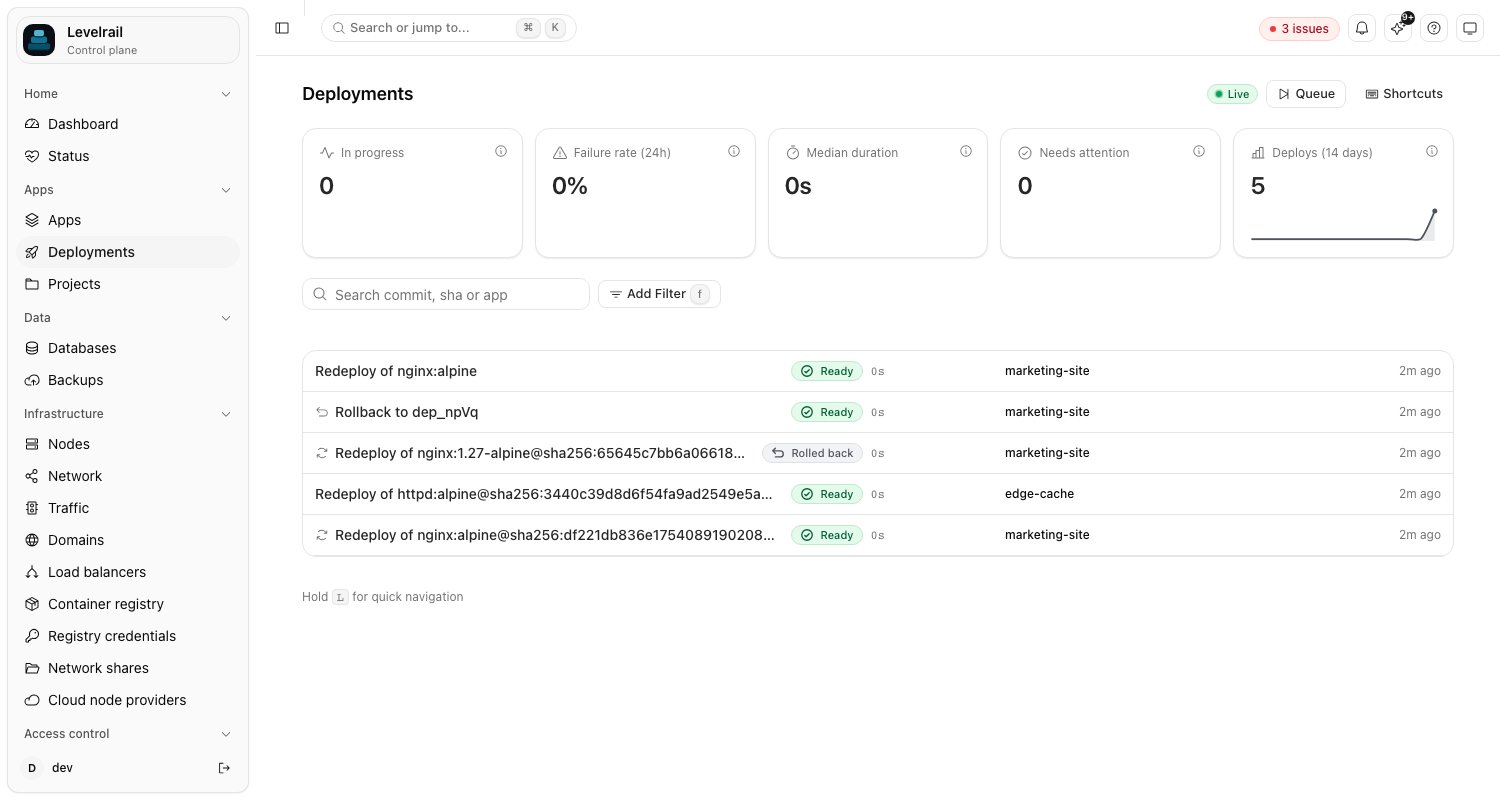
Ship a second version
5
Roll back
Something wrong with version two? Roll back to the first deploy by its ID:No rebuild happens. Levelrail keeps previous images pinned, so garbage collection cannot remove a rollback target, and the rollback is just another deploy of an image it already has.To roll back to a specific image tag instead of a past deploy, use
levelrail-cli apps rollback hello --image nginx:alpine. The --image flag is required there.Clean up
Where to go next
- Zero-downtime deploys with health checks: make a bad release fail before it takes over.
- Deploy from GitHub Actions: run this same flow on every push.
- Deploy safety: the guarantees behind pinned images and rollback.
- Deploying apps: git builds, Compose, and
app.yamlas other ways to create an app.