

 Get started
 How-to guides
 Reference
 Concepts
 Self-host gallery
 Appendix
internal/catalog.Templates as of this build, grouped by category. This page exists so you can browse the full breadth of what’s deployable in one click without opening the dashboard.
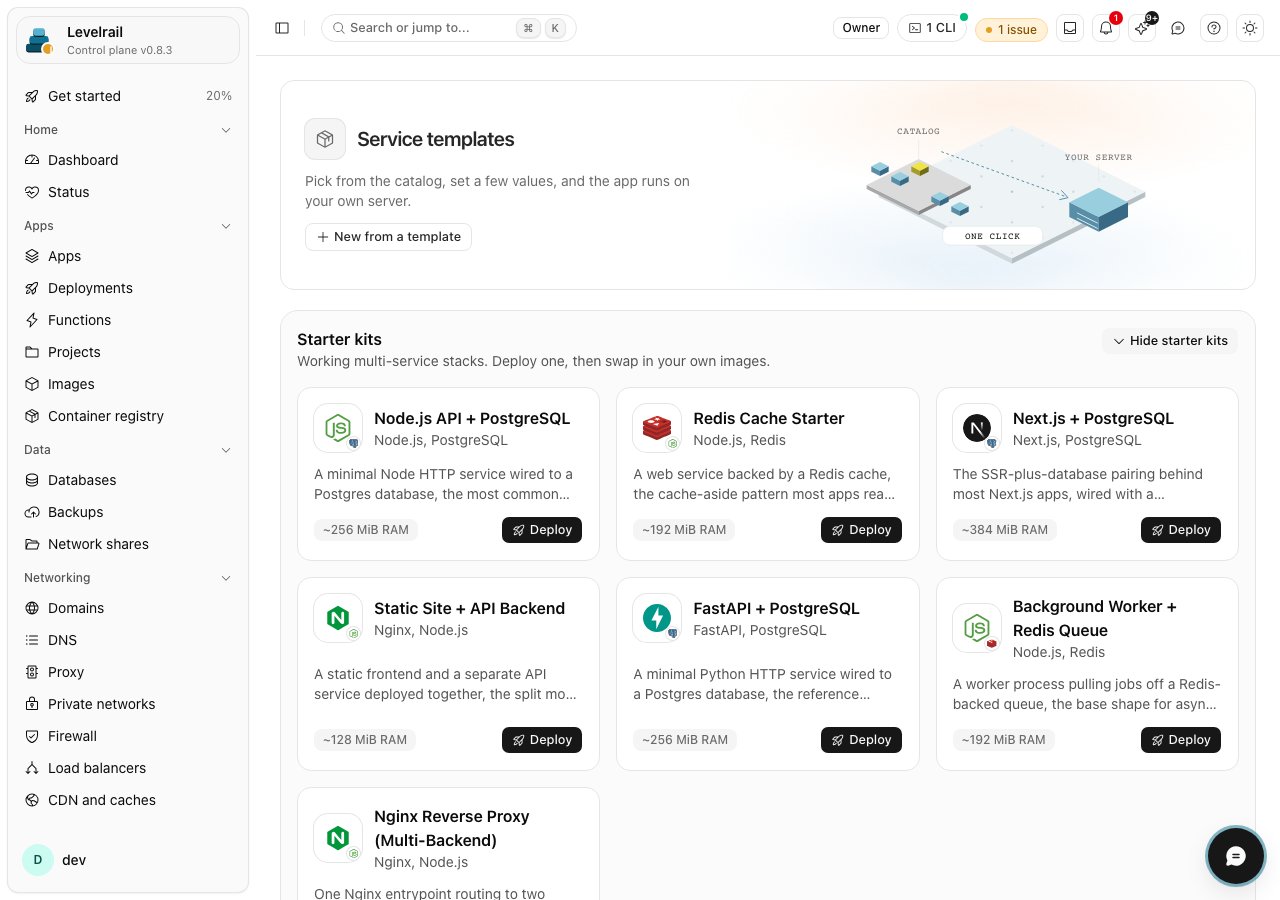
$SERVICE_PASSWORD_* magic variables, custom templates), see Templates and registry. The Starter Kits category gets its own deep-dive page, Starter kit templates, covering the multi-service wiring patterns those seven demonstrate; this page lists them too, for completeness, but doesn’t repeat that detail.
How to read this
- Template links to the project’s own documentation (
DocumentationURLin the source), when the catalog entry has one. - ID is what you pass to
levelrail-cli templates get <id>/templates deploy <id>, and whatGET /api/v1/service-templates/{id}expects. - Notes only flags something that changes how you’d deploy it. Today the only note in use is “Requires GPU”: those entries ship CPU-safe Compose bodies that run, but aren’t practical without an NVIDIA GPU passed through (the Compose layer reads GPU device reservations,
deploy.resources.reservations.devices; see Templates and registry). - This page has no popularity counts, deployment counts, or ratings. None of that is tracked anywhere in this codebase, so there’s nothing honest to show.
- Logos for many of these are already visible in the dashboard’s own template picker (Apps → New app → Browse templates); the table below stays text-only to keep it simple and to keep the table generator (below) the only thing that can go stale, not an icon mapping too.
Writing a template description
Set the optionalDescription field on a Go template (manifest templates reuse description from template.yaml) for operator setup notes that do not fit a one-line slogan: public bind per published port, firewall ports, where to read generated keys, required env vars, licence. Keep it to 3 to 6 plain-text lines, separated by \n; it is shown as text on the template page, in the deploy dialog and in levelrail-cli templates get, and as description in GET /api/v1/service-templates/{id}. A test fails any Go template whose Compose needs operator-supplied env (an empty or missing default) and has no description.
Generated from internal/catalog.Templates (448 entries as of this build). Run go run ./scripts/gen-template-catalog-docs after changing a templates_*.go file to refresh this section.
| Category | Templates |
|---|---|
| AI | 36 |
| Analytics | 10 |
| Applications | 34 |
| Automation | 8 |
| Communication | 21 |
| Dashboard | 8 |
| Database Tools | 34 |
| Developer Tools | 67 |
| Finance | 11 |
| Games | 5 |
| Infrastructure | 19 |
| IoT | 3 |
| Media | 30 |
| Monitoring | 36 |
| Productivity | 82 |
| Security | 19 |
| Starter Kits | 7 |
| Storage | 16 |
| Backups | 1 |
| 1 |
AI
| Template | Slogan | ID | Notes |
|---|---|---|---|
| AnythingLLM | A private chat workspace over your documents, with built-in RAG and support for local or hosted models. | anythingllm | |
| ComfyUI | A node-graph editor for building and running Stable Diffusion and other image generation pipelines. | comfyui | Requires GPU |
| Crawl4AI | An open source web crawler API that turns pages into clean Markdown and structured data for LLM pipelines, with a built-in playground and MCP endpoint. API calls need the generated token as a Bearer header. | crawl4ai | |
| Docling Serve | An API server that converts PDFs, Office files and images into Markdown, JSON or text for RAG pipelines, using the Docling library on CPU. MIT licensed. The image is about 5 GB, the interactive UI is at /ui and the API docs at /docs. There is no login, so keep it private or behind an auth proxy. | docling-serve | |
| Flowise | Drag-and-drop builder for LLM chatbots, agents, and RAG flows, with an API for each flow. | flowise | |
| Flowise (Postgres + Qdrant) | Flowise with a Postgres record manager, a Redis cache, and a Qdrant vector store, for production RAG flows. | flowise-postgres | |
| Jupyter GPU Notebook | JupyterLab with a CUDA-ready data science stack for training and experimenting with models. | jupyter-gpu | Requires GPU |
| Kokoro TTS | A CPU text-to-speech server with an OpenAI-compatible /v1/audio/speech API, built on the Kokoro model. Apache-2.0 licensed. The image is about 3 GB and there is no login, so keep it on a private network or behind an auth proxy. | kokoro-fastapi | |
| Label Studio | A flexible data labeling tool for text, images, audio, and video, with export to common ML formats. | label-studio | |
| Langflow | A visual low-code tool for building and deploying multi-agent and RAG workflows in Python. | langflow | |
| Langfuse | Trace, evaluate, and debug LLM applications with prompt management and cost analytics. | langfuse | |
| LibreChat | A self-hosted ChatGPT-style interface for many model providers, with agents, search, and multi-user login. | librechat | |
| LiteLLM Proxy | One OpenAI-format gateway in front of 100+ model providers, with keys, budgets, and spend tracking. | litellm | |
| llama.cpp Server | The llama.cpp HTTP server: run quantized GGUF models on plain CPUs with an OpenAI-compatible API. | llama-cpp | |
| Lobe Chat | A modern, open-source AI chat framework supporting many model providers. | lobe-chat | |
| LocalAI | A drop-in OpenAI-compatible API that runs language, image, and speech models on your own hardware. | localai | |
| MetaMCP | An MCP aggregator and gateway that groups many MCP servers behind one endpoint with auth, namespaces and middleware. | metamcp | |
| MLflow | Track experiments, compare runs, and manage models with a self-hosted MLflow tracking server. | mlflow | |
| n8n AI Starter Kit | n8n wired to a local Ollama model and a Qdrant vector store, ready for private AI workflows. | n8n-ai-starter | |
| New API | An LLM gateway and AI asset management system that unifies many model providers. | new-api | |
| Ollama | A local LLM runtime with an HTTP API. Pull any model yourself once it’s running. | ollama | |
| Ollama + Open WebUI | A local LLM runtime paired with a ChatGPT-style web interface, for running open models on your own hardware. | ollama-open-webui | |
| Ollama: DeepSeek-R1 7B | DeepSeek’s R1 distilled 7B reasoning model, served locally through Ollama’s HTTP API. | ollama-deepseek | |
| Ollama: Llama 3 8B | Meta’s Llama 3 8B model, served locally through Ollama’s HTTP API. | ollama-llama3 | |
| Ollama: Mistral 7B | Mistral’s 7B instruct model, served locally through Ollama’s HTTP API. | ollama-mistral | |
| Ollama: Phi-3 Mini | Microsoft’s Phi-3 Mini (3.8B), the smallest model in this catalog, good for constrained nodes. | ollama-phi | |
| Ollama: Qwen 2.5 7B | Alibaba’s Qwen 2.5 7B model, served locally through Ollama’s HTTP API. | ollama-qwen | |
| Open Notebook | An open source, self-hosted alternative to NotebookLM for researching with your own sources, with podcasts and chat. Add model provider keys in the app after install. | open-notebook | |
| Open WebUI | A self-hosted chat interface for running local large language models through Ollama. | open-webui | |
| OpenClaw | A self-hosted personal AI agent gateway that connects chat apps and tools to the model provider you choose. Recommended container limit is 2 GiB. Measured use is 0.9 to 1.3 GiB, so a Levelrail VM needs at least 4096 MiB. The gateway trusts the ingress proxy through gateway.trustedProxies, written once to openclaw.json in the data volume. | openclaw | |
| Speaches | An OpenAI-compatible speech server: Whisper transcription and text-to-speech behind one API. | speaches | |
| Stable Diffusion WebUI | A browser interface for generating and editing images with Stable Diffusion checkpoints. | stable-diffusion-webui | Requires GPU |
| Text Embeddings Inference | A lean server that turns text into embeddings with popular open models, on CPU with no extra setup. | text-embeddings-inference | |
| Text Generation Inference | Hugging Face’s production inference server for transformer language models, with continuous batching and streaming. | text-generation-inference | Requires GPU |
| Unstructured | An API that turns PDFs, Word files, and other documents into clean data for RAG pipelines. | unstructured | |
| vLLM | A fast, high-throughput inference server that exposes an OpenAI-compatible API for open-weight language models. | vllm | Requires GPU |
Analytics
| Template | Slogan | ID | Notes |
|---|---|---|---|
| Ackee | A self-hosted, privacy-friendly web analytics tool that tracks page views without cookies or personal data. MIT licensed. Runs with a MongoDB service. The admin password is generated for you and shown in the deployment variables. | ackee | |
| Apache Superset | A business intelligence platform for exploring data and building dashboards, with its metadata kept in SQLite. | superset | |
| EmbyStat | Watch statistics and insight dashboards for your Emby or Jellyfin server. | embystat | |
| GoatCounter | A privacy-friendly, open-source web analytics platform that never tracks individual visitors. | goatcounter | |
| Matomo | A privacy-friendly, self-hosted alternative to Google Analytics with full data ownership. | matomo | |
| Metabase | Ask questions of your data and share dashboards, no SQL required. | metabase | |
| Plausible Analytics | Lightweight, privacy-friendly, cookie-free web analytics with no consent banner required. | plausible | |
| Redash | Connect data sources, write SQL and build shareable dashboards. Runs the Redash web server, a query worker and a scheduler with a bundled PostgreSQL and Redis, persistent volumes and generated secrets. Create the first admin account on first visit. | redash | |
| Tianji | An all-in-one insight hub that combines website analytics, uptime monitoring and server status in one dashboard. | tianji | |
| Umami | Simple, privacy-focused website analytics without tracking cookies or ad-tech. | umami |
Applications
| Template | Slogan | ID | Notes |
|---|---|---|---|
| Budibase | An open-source low-code platform for building internal tools, forms, and admin panels. | budibase | |
| Cleanuparr | A companion for Sonarr, Radarr and your download client that removes stalled, failed and malicious downloads and cleans up leftovers. GPL-3.0 licensed. Open the web UI and add your arr apps and download client under Settings. | cleanuparr | |
| Cockpit CMS | A headless content platform for managing structured content behind a clean API, without a big CMS footprint. | cockpit-cms | |
| Deluge | A lightweight BitTorrent client with a web interface and plugins. GPL-3.0 licensed. The web UI starts with the default password deluge, so change it on first sign in (Preferences, Interface). Only the web UI is published, so incoming peer connections are limited. | deluge | |
| Drupal | A mature, flexible CMS for structured content, multilingual sites, and large editorial teams. | drupal | |
| EspoCRM | An open-source CRM for managing sales, support, and customer relationships end to end. | espocrm | |
| Ghost | A fast, modern publishing platform for blogs and newsletters, with built-in memberships. | ghost | |
| GLPI | An IT asset and service management platform with helpdesk ticketing built in. | glpi | |
| Grav | A flat-file CMS that stores pages as Markdown files, so there is no database to run. Edit content in the admin panel or directly on the volume. | grav | |
| Huginn | A tool that builds agents which watch the web and act for you, such as tracking a page, filtering a feed or sending an email when something changes. This image bundles its own MySQL, so it is one container. | huginn | |
| Joomla | A long-established CMS with a large extension ecosystem for business sites, portals, and communities. | joomla | |
| Kutt | A modern URL shortener with custom domains, link analytics and an API, backed by Postgres and Redis. | kutt | |
| Lowcoder | An open-source low-code platform for building internal apps, dashboards, and workflows with drag-and-drop. | lowcoder | |
| LubeLogger | A self-hosted vehicle maintenance and fuel mileage tracker with reminders and document storage. MIT licensed. On first open, register the first user, which becomes the root account. | lubelogger | |
| Lychee | A self-hosted photo management and gallery app with albums, sharing and public links. MIT licensed. Runs on SQLite in one container. On first open, the setup page asks you to create the admin login. | lychee | |
| Maintainerr | Rule-based media library cleanup for Plex and Jellyfin that works with Sonarr, Radarr and Seerr. MIT licensed. On first open, add your media server and arr apps in settings, then build rules. | maintainerr | |
| MediaWiki | The wiki engine behind Wikipedia, for large collaborative knowledge bases with rich version history. | mediawiki | |
| Moodle | A widely used, highly customizable learning management system for online courses. | moodle | |
| Multi-Scrobbler | Scrobbles your listening history from sources like Spotify, Jellyfin, Plex and Navidrome to destinations like Last.fm, ListenBrainz and Maloja. MIT licensed. Add sources and clients through the web UI or the config files under the data volume. | multi-scrobbler | |
| Mylar3 | An automated comic book downloader that watches your series, finds new issues through your indexers and download client, and renames them into a library. GPL-3.0 licensed. Open the web UI, then add your indexers and download client under Configuration. | mylar3 | |
| Nextcloud | Self-hosted file sync, sharing, and collaboration, a full private alternative to consumer cloud drives. | nextcloud | |
| Odoo | An all-in-one business suite covering CRM, sales, inventory, accounting, and a website builder. | odoo | |
| Ombi | A request portal where media server users ask for movies and shows and your download apps fill them. GPL-2.0 licensed. On first open, the wizard creates the admin account and connects your media server and Sonarr or Radarr. | ombi | |
| OrangeHRM | An open-source human resources management suite: PTO, recruitment, performance, and an employee directory. | orangehrm | |
| Redlib | A private, lightweight front-end for browsing Reddit without tracking or ads. | redlib | |
| RSS-Bridge | Generates RSS and Atom feeds for websites that do not offer them, using a library of small bridges. Unlicense (public domain). Runs in one container with no database. Public to anyone with the link, so restrict it if you only want private use. | rss-bridge | |
| SABnzbd | A Usenet binary downloader with a web interface, RSS and post-processing. GPL-2.0 licensed. On first open, run the setup wizard to add your Usenet provider; if you serve it on a domain, add that host name under Config, Special, host_whitelist. | sabnzbd | |
| SearXNG | A privacy-respecting metasearch engine that aggregates results from dozens of search services. | searxng | |
| Seerr | A media request manager for Jellyfin, Plex and Emby with Sonarr and Radarr hand-off, the merged successor of Overseerr and Jellyseerr. MIT licensed. On first open, sign in with your media server account to become the admin. | seerr | |
| Spoolman | A filament spool inventory manager for 3D printers with usage tracking and printer firmware integrations. MIT licensed. On first open, add your filaments and vendors; there is no login, so keep it behind a private network or an auth proxy. | spoolman | |
| Vvveb CMS | A CMS for building websites, blogs, and ecommerce stores. | vvveb | |
| Wizarr | An invitation and onboarding manager for Jellyfin, Plex and Emby servers. MIT licensed. On first open, create the admin account, then connect your media server. | wizarr | |
| WordPress | The world’s most widely used content management system, self-hosted with its own database. | wordpress | |
| YOURLS | A self-hosted URL shortener with custom keywords, click statistics and a plugin system. Runs with a bundled MariaDB database. The admin login is the user and password you set in the install form. | yourls |
Automation
| Template | Slogan | ID | Notes |
|---|---|---|---|
| Activepieces | An open-source, no-code automation tool for connecting apps and building AI-powered workflows. | activepieces | |
| autobrr | Matches torrent releases from your indexers against filters and pushes hits straight to your download client. | autobrr | |
| n8n | Build automations and connect your tools with a visual, node-based workflow editor. | n8n | |
| n8n (Postgres) | n8n backed by Postgres instead of its default SQLite file, for production workflow volumes. | n8n-postgres | |
| Node-RED | A flow-based visual editor for wiring together hardware, APIs, and online services. | node-red | |
| Prefect | Python-native workflow orchestration with scheduling, retries, and a dashboard for every flow run. | prefect | |
| Temporal | Durable workflow execution: write long-running business logic as code and let Temporal survive failures. | temporal | |
| Windmill | Turn scripts in Python, TypeScript, Go, and SQL into webhooks, workflows, and internal UIs. | windmill |
Communication
| Template | Slogan | ID | Notes |
|---|---|---|---|
| Apache Answer | A Q&A platform for building a community knowledge base, in the style of a self-hosted Stack Overflow. | answer | |
| Apprise API | A single HTTP endpoint that fans a notification out to 100+ services such as Slack, Discord, and email. | apprise-api | |
| Campfire | Basecamp’s open-source group chat app: rooms, direct messages, and file sharing, self-hosted as one container. | campfire | |
| Chatwoot | An open-source customer support platform for live chat, email, and social messaging. | chatwoot | |
| Element Web | The Element Matrix web client, served as static files and pointed at the homeserver you choose, for example the Matrix Synapse template. AGPL-3.0 licensed client. No account lives here, sign in or register on your homeserver. | element-web | |
| FreeScout | A free, self-hosted help desk and shared mailbox, a lighter alternative to Zendesk or Help Scout. | freescout | |
| Gotify | A simple push notification server with a REST API and web UI, for sending messages to your devices. | gotify | |
| Listmonk | A self-hosted newsletter and mailing list manager with a fast, dependency-light core. | listmonk | |
| Mail server (mox, experimental) | Experimental. Needs APP_EXPERIMENTAL=mail on the control plane: without it this template is hidden and cannot be installed. | ||
| Install with the MAIL_FIRST_DOMAIN setting (templates install mail-mox —env MAIL_FIRST_DOMAIN=example.com). MAIL_HOSTNAME (the FQDN other servers connect to) defaults to mail. that domain and MAIL_ADMIN_EMAIL to postmaster@ that domain. | |||
| Ports 25, 465, 587 and 993 are published on the host with a private bind by default. After install, open them with the CLI command mail ports open —confirm (or Open mail ports on the Mail page): that makes only those four ports public and allows them in the host firewall, then set up DNS. Webmail and the account UI are on port 8025 (private, no admin pages). The admin API and metrics are never published; never make them public. | |||
| TLS: the first start makes a self-signed certificate (valid for localhost only, made by mox itself) so the server comes up with no manual steps. Replace it before sending real mail: put your certificate and key in the config volume and set MAIL_TLS_CERT_FILE and MAIL_TLS_KEY_FILE (paths under /mox/config, for example certs/cur.pem and certs/cur.key). Existing files at those paths are never overwritten. A changed certificate needs a container restart. | |||
| Relay mode: set MAIL_SMARTHOST_HOST (and port, user, password) to send through a provider. Changing it needs a restart. | |||
| The admin password is the generated secret SERVICE_PASSWORD_MAILADMIN. Back up the config and data volumes together. | |||
| Deliverability depends on reverse DNS, SPF, DKIM and a clean IP; see the mail template guide. Licence: MIT. | mail-mox | ||
| Matrix Synapse | A federated, end-to-end encrypted chat server implementing the Matrix protocol. | matrix-synapse | |
| Matrix Synapse (Postgres) | A Matrix homeserver backed by Postgres, for self-hosted federated chat and voice/video signaling. | matrix-synapse-postgres | |
| Mattermost | An open-source, self-hosted alternative to Slack for team messaging and collaboration. | mattermost | |
| NodeBB | A modern forum platform with real-time discussions, SSO, and a plugin ecosystem, backed by Postgres. | nodebb | |
| ntfy | A simple pub-sub push notification service you can send alerts to from any script or app. | ntfy | |
| Once Campfire | A simple, self-hosted group chat app from 37signals, no subscription required. | once-campfire | |
| Plunk | An email platform for transactional mail, marketing campaigns and automations that sends through your own AWS SES account. | plunk | |
| Postiz | Schedules and publishes posts across social platforms from one calendar, with basic analytics. | postiz | |
| Rocket.Chat | A full-featured, self-hosted team chat platform with video calls and app integrations. | rocketchat | |
| Roundcube Webmail | A browser-based IMAP email client with a clean interface, address books, and plugin support. | roundcube | |
| Stalwart Mail Server | An all-in-one SMTP, IMAP, JMAP, and WebDAV mail server in a single lightweight container. | stalwart | |
| The Lounge | A modern web IRC client that stays connected for you, so you can read what you missed from any device. Users are created from the command line, and chat history is kept on a volume. | thelounge |
Dashboard
| Template | Slogan | ID | Notes |
|---|---|---|---|
| Dashy | A feature-rich, self-hosted start page with widgets, status checks, and full visual customization. | dashy | |
| Flame | A self-hosted start page with an app launcher, bookmarks, and Docker label integration. | flame | |
| Glance | A fast, self-hosted dashboard that pulls RSS, weather, and other widgets onto one page. | glance | |
| Heimdall | An application dashboard that gathers links to all your self-hosted services on one start page. | heimdall | |
| Homarr | A customizable start page dashboard for your self-hosted services with drag-and-drop widgets. | homarr | |
| Homepage | A fast, static, highly customizable start page for all your self-hosted services. | homepage | |
| Homer | A dead simple static start page for your services, configured with a single YAML file. | homer | |
| Organizr | A unified homepage and tabbed dashboard for linking every self-hosted app behind one interface. | organizr |
Database Tools
| Template | Slogan | ID | Notes |
|---|---|---|---|
| Adminer | A single-file database admin tool for MySQL, PostgreSQL, SQLite, and more. | adminer | |
| Apache Cassandra | A single node Apache Cassandra wide-column database on the official image, with a persistent volume. It is not published on the host and starts without authentication, so reach it only from other services in this project at cassandra:9042. A node needs about 2 GB of memory. | cassandra | |
| Apache Solr | The Apache Solr search platform on the official image, with a persistent volume. The admin interface has no login, so keep it private or put it behind an authenticating proxy before adding a public domain. Other services in this project reach it at solr:8983. | solr | |
| Baserow | A no-code database and spreadsheet hybrid you can build internal tools and apps on top of. | baserow | |
| Bytebase | A database schema change and migration tool with review workflows built in. | bytebase | |
| Chroma | A developer-friendly embedding database for AI applications, served over a simple HTTP API. Open to anyone who can reach it, so reach it from other services in this project at chroma:8000, or attach a domain only behind Basic Auth. Not published on the host. | chroma | |
| ClickHouse | A columnar database built for fast analytical queries over large datasets. | clickhouse | |
| CloudBeaver | A web-based database manager for browsing and querying Postgres, MySQL, SQLite and more. | cloudbeaver | |
| CouchDB | A document database with an HTTP API, built-in replication and the Fauxton admin console. | couchdb | |
| Elasticsearch + Kibana | Elasticsearch paired with Kibana for log and document search with a visual dashboard. Kibana has no login, so anyone who can open it controls the data: before attaching a domain, enable Basic Auth or the auth gate on it. Elasticsearch is reachable only from services in this project at elasticsearch:9200 and is not published on the host. | elasticsearch-kibana | |
| FerretDB | A MongoDB compatible database that stores documents in PostgreSQL. Runs FerretDB with a bundled PostgreSQL that has the DocumentDB extension, a persistent volume and a generated password. It is not published on the host, so reach it from other services in this project at ferretdb:27017. | ferretdb | |
| InfluxDB | An open-source time-series database for metrics, events, and IoT analytics. | influxdb | |
| MariaDB | The MariaDB database server on the official image, with a persistent volume, generated root and user passwords, and an application database. It is not published on the host, so reach it from other services in this project at mariadb:3306. | mariadb | |
| Memcached | A fast in-memory cache for query results, sessions and rendered pages, reachable by other apps on host memcached. | memcached | |
| Milvus | A cloud-native vector database built for billion-scale similarity search, run here as a single standalone node. Has no authentication, so reach it from other services in this project at milvus:19530, or attach a domain (it routes to port 19530 only) only behind Basic Auth. Not published on the host. | milvus | |
| Mongo Express | A web admin console for MongoDB, bundled with its own MongoDB 7 instance and basic auth. | mongo-express | |
| MongoDB | The MongoDB document database on the official image, with a persistent volume and a generated root user and password. It is not published on the host, so reach it from other services in this project at mongodb:27017. | mongodb | |
| MySQL | The MySQL Community database server on the official image, with a persistent volume, generated root and user passwords, and an application database. It is not published on the host, so reach it from other services in this project at mysql:3306. | mysql | |
| Neo4j | A graph database with the Cypher query language, Community Edition, including the browser console. | neo4j | |
| NocoDB | Turn any database into a smart spreadsheet, with a real-time collaborative grid UI. | nocodb | |
| OpenSearch | A single node OpenSearch search and analytics engine with the security plugin on, a persistent volume, a generated admin password and a 512 MB Java heap. The API speaks HTTPS with a self signed certificate and is not published on the host, so reach it from other services in this project at opensearch:9200. | opensearch | |
| PG Back Web | A web UI for scheduling, encrypting, and restoring PostgreSQL backups. | pgbackweb | |
| pgAdmin | A full-featured web GUI for administering and querying PostgreSQL databases. | pgadmin | |
| pgvector Postgres | PostgreSQL 17 with the pgvector extension preinstalled, for embeddings next to your relational data. | pgvector | |
| phpMyAdmin | A web-based admin tool for MySQL and MariaDB, built for ad-hoc use against any reachable database. | phpmyadmin | |
| PostgreSQL | The PostgreSQL relational database server on the official Alpine image, with a persistent volume and a generated password. It is not published on the host, so reach it from other services in this project at postgres:5432. | postgres | |
| Qdrant | A vector similarity search engine for storing, searching, and managing embeddings. | qdrant | |
| QuestDB | A fast time series database with SQL, a web console, the PostgreSQL wire protocol on 8812 and InfluxDB line protocol ingestion on 9009. The console and the PostgreSQL port share one generated password. Only the console is offered a domain. | questdb | |
| Redis Commander | A web interface to browse and edit Redis keys. It comes with its own Redis service, and both the Redis password and the web login password are generated for you and shown in the deployment variables. | redis-commander | |
| Redis Insight | A GUI for exploring keys, running commands, and profiling workloads on any Redis-compatible server. | redis-insight | |
| RedisInsight | A GUI for browsing keys, running commands, and profiling performance on any Redis instance. | redisinsight | |
| TimescaleDB | PostgreSQL with the TimescaleDB extension for time series data, with a persistent volume and a generated password. The core is Apache-2.0 and some features fall under the Timescale License. It is not published on the host, so reach it from other services in this project at timescaledb:5432. | timescaledb | |
| Valkey | A Redis-compatible in-memory key-value store under the Linux Foundation, with password auth and append-only persistence. | valkey | |
| Weaviate | An open-source vector database with hybrid search, built-in modules, and a GraphQL and REST API. | weaviate |
Developer Tools
| Template | Slogan | ID | Notes |
|---|---|---|---|
| Appsmith | A low-code platform for building internal tools and admin panels on top of your own data. | appsmith | |
| Appwrite | An open-source backend-as-a-service with auth, databases, storage, and functions behind one API. | appwrite | |
| Athens | A Go module proxy that caches modules from upstream so builds stay fast and repeatable. Point GOPROXY at it from your CI or developer machines. | athens | |
| Browserless | A headless Chrome browser exposed as an HTTP/WebSocket API for scraping and PDF rendering. | browserless | |
| ByteStash | A fast, self-hosted code snippet manager with syntax highlighting, tagging, and a built-in MCP endpoint for AI assistants. | bytestash | |
| code-server | Run VS Code in the browser, on your own hardware, from any device with a tab open. | code-server | |
| ConvertX | A self-hosted file converter that handles well over a thousand image, document, and media formats. | convertx | |
| CyberChef | The cyber swiss army knife: encode, decode, hash, and analyse data in the browser. | cyberchef | |
| Databasus | A free, self-hosted backup tool for Postgres, MySQL, and MongoDB databases. | databasus | |
| Directus | An open-source headless CMS and instant REST/GraphQL API layer over your own database. | directus | |
| Docker Registry | A private registry for storing and distributing your own container images. | docker-registry | |
| Docker Registry | The official open source registry for storing and distributing your own container images. | registry | |
| Docker Registry (Authenticated) | A private container registry with HTTP basic auth baked in at boot, unlike the catalog’s open registry entry. | docker-registry-auth | |
| Flagsmith | A feature flag and remote config service with a dashboard, environments, segments and an SDK API. Runs the API and dashboard in one container with a bundled Postgres database. On first open, the sign-up page creates the first organisation and admin. | flagsmith | |
| FlareSolverr | A headless-browser proxy that solves Cloudflare and DDoS-Guard challenges for other self-hosted tools. | flaresolverr | |
| Flipt | A self-hosted feature flag and experimentation platform with a built-in UI and REST/gRPC APIs. | flipt | |
| Forgejo | A lightweight, community-governed Git forge with issues, pull requests, and CI runners. | forgejo | |
| Forgejo (Postgres) | Forgejo backed by Postgres instead of its default SQLite, for a multi-writer-safe production setup. | forgejo-postgres | |
| Gitea | A lightweight, self-hosted Git service with issues, pull requests, and a package registry. | gitea | |
| Gitea (Postgres) | Gitea backed by Postgres instead of its default MySQL, for operators standardizing on one database engine. | gitea-postgres | |
| GitLab | GitLab Community Edition: Git hosting, CI/CD, issues, and a container registry in one Omnibus image. | gitlab | |
| GitLab CE | A complete DevOps platform for source control, code review, issues, and CI/CD in one place. | gitlab-ce | |
| Gitness | Harness Open Source, a Git host with code review, pipelines and an artifact registry in one binary. Apache-2.0 licensed. Uses an embedded SQLite database on the data volume. The first user to register becomes the admin, then turn off sign-ups. Pipelines that run containers need Docker access, which this template does not grant. | gitness | |
| Gogs | A painless self-hosted Git service written in Go, light enough to run on a small VPS. | gogs | |
| Gotenberg | A stateless API for converting HTML, Markdown, Office, and PDF documents in the background. | gotenberg | |
| Hasura | An instant GraphQL and REST API on top of Postgres with permissions, subscriptions and an admin console. | hasura | |
| Hoppscotch | An open-source API development platform, a self-hosted alternative to Postman, backed by Postgres. | hoppscotch | |
| ImgCompress | An offline image compression, format conversion, and background-removal API for self-hosted pipelines. | imgcompress | |
| Inngest | A durable workflow engine for background jobs, queues, cron and event-driven functions, backed by Postgres and Redis. | inngest | |
| IT Tools | A collection of handy online tools for developers: converters, generators, formatters, and more. | it-tools | |
| Jenkins | The long-running automation server for building, testing, and deploying with thousands of plugins. | jenkins | |
| Jupyter Notebook | A Jupyter Notebook server for interactive Python data work, protected by a generated access token. | jupyter-notebook | |
| Jupyter Notebook | A web-based notebook environment for interactive Python, data analysis, and visualization. | jupyter-notebook-python | |
| Kroki | An API that turns diagram text such as Mermaid, PlantUML and Graphviz into images. It has no database and no login, so restrict who can reach it. | kroki | |
| LibreTranslate | A free and open machine translation API that runs entirely on your own hardware. | libretranslate | |
| Mage AI | A data pipeline tool for building, running and monitoring ETL, streaming and dbt workflows in notebooks and a UI. | mage-ai | |
| MailHog | An SMTP test server that catches outgoing mail from your apps and shows it in a web inbox. | mailhog | |
| Mailpit | A local SMTP server and web inbox for catching and inspecting outgoing email during development. | mailpit | |
| marimo | A reactive Python notebook that is reproducible, git-friendly, and shareable as an app. | marimo | |
| Material for MkDocs | A documentation site generator with a searchable Material theme. This serves your Markdown files live; put them in the docs volume and edit the generated config to set the site name and navigation. | mkdocs-material | |
| MAZANOKE | A private image optimizer that compresses and converts photos in the browser. Images are processed on the visitor device and never uploaded to the server. | mazanoke | |
| Meilisearch | A fast, typo-tolerant search engine API you can drop into any app’s search bar. | meilisearch | |
| NocoBase | An extensible no-code/low-code platform for building internal tools and databases. | nocobase | |
| OneDev | A self-hosted Git server with built-in CI/CD, issue tracking and code search, in one container. | onedev | |
| Opengist | A self-hosted pastebin powered by Git, for sharing snippets and gists with revisions, topics and search. AGPL-3.0 licensed. Uses SQLite in one container. SSH Git access is off, so clone and push over HTTPS. The first account you register becomes the admin. | opengist | |
| Pgweb | A small web client for browsing and querying PostgreSQL databases, with a table browser, query editor and export. Runs as one container with no storage of its own. Sign in with the username and password from the install form, then enter the connection details of your database. | pgweb | |
| PlantUML Server | Turns PlantUML text into UML diagrams as images over HTTP. It has no database and no login, so restrict who can reach it. | plantuml-server | |
| PocketBase | An open-source backend in one file: embedded database, auth, file storage, and realtime API. | pocketbase | |
| Proxyscotch | A small CORS proxy that lets Hoppscotch call APIs from the browser. | proxyscotch | |
| Semaphore UI | A modern web UI for running Ansible, Terraform, and shell tasks with schedules, history, and access control. | semaphore | |
| Shlink | A self-hosted URL shortener with a full REST API for creating and tracking short links. | shlink | |
| Soketi | A simple, fast, Pusher-protocol-compatible WebSockets server for real-time app features. | soketi | |
| SonarQube Community | Continuous code quality and security analysis across 30+ languages, with quality gates for every pull request. | sonarqube | |
| Sonatype Nexus Repository | A universal artifact repository for Maven, npm, Docker, PyPI, and more, with proxying and caching. | nexus | |
| Strapi | An open-source headless CMS with a customizable admin panel and a REST/GraphQL content API. | strapi | |
| Swagger UI | Renders an OpenAPI description as interactive API documentation you can try from the browser. It is static, has no login and no database. | swagger-ui | |
| Termix | A web-based SSH, RDP, and VNC terminal manager for organizing and connecting to every server from one dashboard. | termix | |
| Tolgee | A localization management platform where developers and translators work in one shared UI. | tolgee | |
| TrailBase | A fast Rust and SQLite application server with type-safe APIs and auth. | trailbase | |
| Typesense | A fast, typo-tolerant search engine API built as a lighter alternative to Elasticsearch. | typesense | |
| Unleash (Postgres) | An open-source feature flag platform with gradual rollouts, A/B testing, and a permission model. | unleash-postgres | |
| Verdaccio | A lightweight private npm proxy registry with caching and local package publishing. | verdaccio | |
| Wakapi | A self-hosted, WakaTime-compatible backend for tracking coding time and stats. | wakapi | |
| Web Check | An all-in-one OSINT tool for inspecting a website’s DNS, headers, certs, and security posture. | web-check | |
| Weblate | A continuous localization system for translating software with a web-based editor and review flow. | weblate | |
| WireMock | An HTTP mock server that stubs and records API responses for development and tests. Stubs are managed through its admin API, so restrict who can reach it. | wiremock | |
| Woodpecker CI | A simple, container-native CI engine with a server and an agent, driven by pipelines in your repo. | woodpecker |
Finance
| Template | Slogan | ID | Notes |
|---|---|---|---|
| Actual Budget | A local-first, envelope-style budgeting app with optional multi-device sync. | actual-budget | |
| Actual Budget | A local-first personal finance and budgeting app with multi-device sync you fully own. | actualbudget | |
| Budge | A self-hosted envelope budgeting app for personal finance. | budge | |
| Dolibarr | An open-source ERP and CRM for small businesses: invoicing, contacts, stock, and accounting in one app. | dolibarr | |
| Firefly III | A self-hosted personal finance manager for tracking budgets, bills, and spending. | firefly-iii | |
| Ghostfolio | A privacy-first wealth tracker for stocks, ETFs, and crypto, with portfolio analytics and no ads. | ghostfolio | |
| Invoice Ninja | Self-hosted invoicing, quotes, and payments for freelancers and small businesses. | invoice-ninja | |
| Paymenter | Open-source billing and client management for hosting providers, with invoices, subscriptions and provisioning extensions. | paymenter | |
| Spliit | A free way to split expenses with friends and groups, no accounts needed. Share a group link and everyone adds expenses. MIT licensed, backed by Postgres. | spliit | |
| Sure | A privacy-first personal finance app for tracking net worth, budgets, and investments across every account. | sure | |
| Wallos | A personal subscription tracker that shows what you pay each month, with reminders and multi-currency support. | wallos |
Games
| Template | Slogan | ID | Notes |
|---|---|---|---|
| Factorio Server | A dedicated Factorio multiplayer server with saves kept in a volume. | factorio | |
| Minecraft Bedrock Server | A Minecraft Bedrock Edition dedicated server for phones, consoles and Windows players. You must accept the Minecraft EULA yourself by entering TRUE. Players connect on UDP 19132: the port binds privately by default, so set a public bind in the app’s Network settings and open UDP 19132 in the host and cloud firewall. The image publishes amd64 and arm64 builds, but the Bedrock server itself is x86 software, so on arm64 it runs under emulation and needs more CPU. | minecraft-bedrock | |
| Minecraft Server | A Minecraft Java server (vanilla, Paper, Fabric or Forge via the server type field) that downloads the selected version on first boot (default 1.21.11, tested on the Java 21 image). You must accept the Minecraft EULA yourself by entering TRUE; it is never accepted for you. Players connect to TCP 25565 (no web address is created for it): the port binds privately by default, so set a public bind in the app’s Network settings and open TCP 25565 in the host and cloud firewall. RCON is on with a generated password but its port is not published; run apps console from the CLI. The JVM heap is the memory field and the container limit defaults to 2560M, 25 percent above the 2G heap. Defaults suit 2 CPUs and 12 GB of RAM shared with other apps. Image is multi-arch (amd64 and arm64). | minecraft | |
| Palworld Server | A dedicated Palworld server with a generated admin password and RCON kept internal. | palworld | |
| Terraria Server | A vanilla Terraria dedicated server that creates a world on first start. | terraria |
Infrastructure
| Template | Slogan | ID | Notes |
|---|---|---|---|
| AdGuard Home | Network-wide ad and tracker blocking with a DNS server and a friendly admin dashboard. | adguard-home | |
| Apache Kafka | A single broker Apache Kafka in KRaft mode (no ZooKeeper) on the official image, with a persistent volume. It is not published on the host and speaks plaintext, so reach it only from other services in this project at kafka:9092. | kafka | |
| Cloudflare DDNS | Keeps Cloudflare DNS records pointed at your current public IP address. | cloudflare-ddns | |
| Consul | HashiCorp Consul in single-server mode with the web UI: service discovery, health checks and a key-value store. | consul | |
| Elasticsearch | A distributed, RESTful search and analytics engine for full-text search and log analytics. Security is off, so reach it from other services in this project at elasticsearch:9200, or attach a domain only behind Basic Auth. Not published on the host. | elasticsearch | |
| etcd | A distributed key-value store for configuration and coordination, running as a single member. | etcd | |
| Headscale | Self-hosted Tailscale control server, configured entirely through environment variables. Embedded DERP and STUN are off (the platform has no UDP), so clients relay through the public Tailscale DERP map over HTTPS. Create users and pre-auth keys with the CLI in the container (headscale users create, headscale preauthkeys create). | headscale | |
| imgproxy | A fast image processing server that resizes, crops and converts images on the fly from signed URLs. Apache-2.0 licensed. A signing key and salt are generated for you, so only URLs signed with them are served. | imgproxy | |
| MeshCentral | A remote device management server with web-based desktop, terminal and file access, plus agents for Windows, Linux and macOS. Apache-2.0 licensed. The first account you register becomes the server admin, so register it before sharing the address. Set the host name to your public domain so agents can find the server. | meshcentral | |
| NATS | A lightweight messaging server for pub/sub, request/reply and durable streams, with JetStream persistence enabled. | nats | |
| NetBox | Source-of-truth IPAM and DCIM for tracking IP space, racks, devices, and cabling. | netbox | |
| Nginx | The Nginx web server on the official Alpine image, serving a persistent web root. It starts with the default welcome page; put your site files in the web root volume through the app’s Files. | nginx | |
| Nginx Proxy Manager | A web UI for managing Nginx reverse-proxy hosts, redirects, and Let’s Encrypt certificates. | nginx-proxy-manager | |
| Pi-hole | Network-wide ad blocking that works as a DNS sinkhole for your whole network. | pi-hole | |
| Portainer | A web UI for managing containers, images, volumes, and networks. | portainer | |
| RabbitMQ | A widely used open-source message broker supporting AMQP, MQTT, and STOMP. | rabbitmq | |
| RustDesk Server | Self-hosted RustDesk ID and relay servers (AGPL-3.0). | rustdesk-server | |
| Snipe-IT | IT asset management for tracking hardware, licenses, and accessories, and who currently has what. | snipe-it | |
| Technitium DNS Server | A full-featured authoritative and recursive DNS server with DNS-over-HTTPS/TLS and a web console. | technitium-dns |
IoT
| Template | Slogan | ID | Notes |
|---|---|---|---|
| Eclipse Mosquitto | A lightweight MQTT broker for connecting IoT devices, sensors, and home automation hubs. | mosquitto | |
| Home Assistant | Open-source home automation that puts local control and privacy first. | home-assistant | |
| Traccar | An open-source GPS tracking platform supporting over 170 device protocols. | traccar |
Media
| Template | Slogan | ID | Notes |
|---|---|---|---|
| Audiobookshelf | A self-hosted server for your audiobooks and podcasts, with sync across every device. | audiobookshelf | |
| Bazarr | Companion to Sonarr and Radarr that finds and downloads subtitles for your media library. | bazarr | |
| Calibre-Web | A clean web interface for browsing, reading, and downloading your existing Calibre ebook library. | calibre-web | |
| Castopod | An open-source podcast hosting platform with built-in analytics, a web player, and ActivityPub federation. | castopod | |
| Emby | A media server that organizes your movies, shows, and music and streams them to any device. | emby | |
| Grimmory | Organize, read, annotate, and sync your entire book collection from one place. | grimmory | |
| Immich | Self-hosted photo and video backup with mobile apps, facial recognition, and timeline search. | immich | |
| Jackett | A proxy that translates queries from your media apps into torrent tracker searches. | jackett | |
| Jellyfin | A free media server for streaming your own movies, shows, and music to any device. | jellyfin | |
| Jellyseerr | A request manager for Jellyfin, Plex, and Emby libraries, wired to Sonarr and Radarr. | jellyseerr | |
| Kavita | A fast, feature-rich reader server for manga, comics, and ebooks. | kavita | |
| Komga | A media server for comics, manga, and digital books with a clean reading interface. | komga | |
| Lidarr | Watches your indexers for new albums from artists you follow and automatically grabs and organizes them. | lidarr | |
| MeTube | A tidy web front end for yt-dlp: paste a link, pick a format, and download video or audio. | metube | |
| Navidrome | Stream your own music collection from a Subsonic-compatible server to any device, anywhere. | navidrome | |
| Overseerr | Lets your Plex users request new movies and TV shows straight from a shared web UI. | overseerr | |
| Owncast | Run your own live video streaming server with built-in chat, no third-party platform required. | owncast | |
| PhotoPrism | An AI-powered photo management app that indexes and organizes your library as you own it. | photoprism | |
| Photoview | A fast, simple photo gallery that indexes an existing folder tree without importing or duplicating files. | photoview | |
| PiGallery2 | A directory-first photo gallery that shows your folders as they are on disk, with search, maps and thumbnails. Photos are read from a volume, so you copy them in or mount a folder. | pigallery2 | |
| Pinchflat | Automatically download and organize YouTube channels and playlists into your media library. | pinchflat | |
| Plex | A media server that organizes your movies, TV, and music and streams them to any device. | plex | |
| Prowlarr | An indexer manager that syncs your torrent and Usenet indexers across the whole Arr stack. | prowlarr | |
| qBittorrent | A free, self-hosted BitTorrent client with a full web UI for remote download management. | qbittorrent | |
| Radarr | Watches your favorite indexers for movies and automatically grabs, sorts, and renames them. | radarr | |
| RomM | A self-hosted retro game library manager. It scans your ROM collection, matches metadata and cover art, and lets you browse, search and play games in the browser. Runs with a bundled MariaDB database. On first open, the setup page asks you to create the admin login. | romm | |
| Sonarr | Watches your favorite indexers for new TV episodes and automatically grabs, sorts, and renames them. | sonarr | |
| Tdarr | Automated media transcoding, health checks, and library-wide format standardization. | tdarr | |
| Transmission | A fast, lightweight BitTorrent client with a simple web interface. | transmission | |
| Yamtrack | A self-hosted media tracker for movies, TV, anime, manga, games, and books. | yamtrack |
Monitoring
| Template | Slogan | ID | Notes |
|---|---|---|---|
| Alertmanager | Prometheus Alertmanager: groups, deduplicates and routes alerts to email, Slack, webhooks and on-call tools. | alertmanager | |
| Beszel | A lightweight server monitoring hub with historical stats for CPU, memory, disk, and network. | beszel | |
| Blackbox Exporter | A Prometheus exporter that probes endpoints over HTTP, HTTPS, DNS, TCP and ICMP and reports the results as metrics. It ships with the standard probe modules. | blackbox-exporter | |
| Bugsink | A self-hosted, lightweight error tracking server with a Sentry-compatible SDK ingestion API. | bugsink | |
| Changedetection.io | Monitor any webpage for changes and get notified the moment content updates. | changedetection | |
| Checkmate | An open-source uptime and server monitoring app with incident history and status pages. | checkmate | |
| Chronograf | A web interface to explore, graph and alert on time series stored in InfluxDB. Add your InfluxDB connection from the first screen; it has no login of its own, so restrict who can reach it. | chronograf | |
| Diun | Watches your running containers and notifies you the moment a new image tag is published. | diun | |
| Gatus | Developer-oriented status page and health dashboard. Ships with an example endpoint; edit the config file under the app’s Files to monitor your own services. | gatus | |
| Glances | A cross-platform system monitor showing CPU, memory, disk, and network at a glance. | glances | |
| GlitchTip | A lightweight, self-hosted error tracking service compatible with the Sentry SDK. | glitchtip | |
| Grafana | Dashboards and exploration for metrics, logs, and traces from any data source. | grafana | |
| Grafana (Postgres) | Grafana backed by Postgres instead of its default embedded SQLite, for multi-instance or external-DB setups. | grafana-postgres | |
| Grafana Alloy | A telemetry collector that scrapes metrics and ships them to Prometheus-compatible, Loki or Tempo backends. This starts with a small pipeline that scrapes its own metrics and logs them; edit the config to forward data elsewhere. | grafana-alloy | |
| Grafana Loki | A horizontally scalable log aggregation system that indexes labels, not full text, to keep storage cheap. | loki | |
| Grafana OTel LGTM | An all-in-one OpenTelemetry backend with an OTLP collector, Loki logs, Tempo traces, Prometheus metrics and Grafana in one container. The Grafana admin password is generated at install. OTLP ports are not published on the host, so send telemetry from other services in this project to otel-lgtm:4317 (gRPC) or otel-lgtm:4318 (HTTP). | otel-lgtm | |
| Healthchecks | Cron job and scheduled task monitoring: get alerted the moment a periodic job stops checking in. | healthchecks | |
| HyperDX | An observability platform that brings logs, traces, metrics and session replays together in one search UI. MIT licensed. Runs the all-in-one image with its bundled ClickHouse, MongoDB and OpenTelemetry collector, so it needs about 2 GB of memory. On first open, the setup page asks you to create the admin login. | hyperdx | |
| Jaeger | Distributed tracing with an OTLP collector and query UI in one container, storing traces in memory. | jaeger | |
| Jellystat | A statistics and history dashboard for Jellyfin with watch time, library and user insights, backed by Postgres. MIT licensed. Create the admin user on first open, then add your Jellyfin URL and an API key. | jellystat | |
| LibreSpeed | A lightweight, self-hosted internet speed test with no ads, tracking, or Flash required. | librespeed | |
| Netdata | Per-second infrastructure metrics with zero configuration and a live dashboard out of the box. | netdata | |
| Node Exporter | A Prometheus exporter for hardware and OS metrics of the host it runs on. It serves plain metrics at /metrics for a Prometheus server to scrape. | node-exporter | |
| OpenObserve | A lightweight, single-binary observability platform for logs, metrics, and traces with a built-in UI. | openobserve | |
| OpenSpeedTest | A browser speed test you host yourself. It measures download and upload speed between a visitor and this server, with no account and no stored results. | openspeedtest | |
| Prometheus | A metrics time-series database and alerting engine built for pull-based scraping. | prometheus | |
| Pushgateway | A Prometheus Pushgateway that holds metrics pushed by short-lived batch jobs so a Prometheus server can scrape them. Pushed groups are kept on a persistent volume. | pushgateway | |
| SmokePing | A latency and packet loss monitor that pings your targets and graphs jitter over time. GPL-2.0 licensed. Targets live in the Targets file under the config volume. There is no login, so keep it private or behind an auth proxy. | smokeping | |
| Speedtest Tracker | Runs Ookla speed tests on a schedule and charts your connection’s throughput, latency, and jitter over time. | speedtest-tracker | |
| Statusnook | Deploy a status page and start monitoring endpoints in minutes. | statusnook | |
| Tautulli | Monitors your Plex server and shows who watched what, with history, stats, and notifications. | tautulli | |
| Uptime Kuma | A self-hosted uptime monitor with a clean dashboard for HTTP, TCP, DNS, and ping checks. | uptime-kuma | |
| Uptime Kuma (MariaDB) | Uptime Kuma with a MariaDB sidecar provisioned, for the setups that opt out of its default SQLite file. | uptime-kuma-mariadb | |
| VictoriaMetrics | A fast, resource-frugal time-series database that speaks the Prometheus query and remote-write APIs. Has no authentication, so point Prometheus-style senders at victoriametrics:8428 from other services in this project, or attach a domain only behind Basic Auth. Not published on the host. | victoriametrics | |
| Zabbix | Enterprise-grade network, server, and application monitoring with alerting and trend graphs. | zabbix | |
| Zipkin | A distributed tracing system that collects timing data from your services and shows request traces. This uses in-memory storage, so traces reset when the container restarts. | zipkin |
Productivity
| Template | Slogan | ID | Notes |
|---|---|---|---|
| AFFiNE | A block-based workspace combining docs, whiteboards, and databases in one self-hosted app. | affine | |
| AppFlowy | A self-hosted, open-source workspace for notes and collaborative knowledge, an alternative to Notion. | appflowy | |
| ArchiveBox | A self-hosted web archiver that saves pages as HTML, PDF, screenshots, WARC and media so links never rot. Creates the admin account on first start. | archivebox | |
| Baby Buddy | Track sleep, feeding, diaper changes, and growth for a baby or toddler, with charts and timers. | babybuddy | |
| BentoPDF | A privacy-first PDF toolkit that merges, splits, converts and edits files entirely in the browser, with no uploads. | bentopdf | |
| BookStack | A simple, self-hosted platform for organizing documentation into books, chapters, and pages. | bookstack | |
| Cal.com | Open-source scheduling infrastructure for booking meetings without the back-and-forth. | calcom | |
| CommaFeed | A fast self-hosted RSS reader with a clean web client and keyboard shortcuts. It uses an embedded database kept on a volume. | commafeed | |
| ConvertX | A self-hosted online file converter supporting over a thousand formats. | convertx-app | |
| Docmost | An open-source, Notion-style collaborative wiki and documentation workspace. | docmost | |
| Documenso | An open-source document signing platform, a self-hosted alternative to DocuSign. | documenso | |
| DocuSeal | A free, open-source document signing tool, a lighter alternative to DocuSign. | docuseal | |
| DokuWiki | A simple, database-free wiki that stores pages as plain text files, easy to back up. | dokuwiki | |
| draw.io | A self-hosted diagramming and whiteboarding editor for flowcharts, architecture diagrams, and more. | drawio | |
| Easy!Appointments | An open-source appointment scheduler for managing bookings, staff, and services. | easyappointments | |
| Etherpad | A real-time collaborative editor for documents, with plugins and a clean export story. | etherpad | |
| Excalidraw | A self-hosted virtual whiteboard for sketching diagrams that feel hand-drawn. | excalidraw | |
| Fider | A feedback platform for collecting and prioritizing user feature requests. | fider | |
| Firefox | A private Firefox browser running on your server and streamed to a web page. | firefox-browser | |
| flatnotes | A database-less note-taking app that keeps notes as plain Markdown files. | flatnotes | |
| Focalboard | An open-source project board for tasks and sprints with Kanban, table and calendar views, stored in a single SQLite file. | focalboard | |
| Formbricks | An open-source survey and experience-management platform you run on your own infrastructure. | formbricks | |
| FreshRSS | A lightweight, self-hosted RSS aggregator with multi-user support and a mobile-friendly API. | freshrss | |
| Gramps Web | An online genealogy system for researching and sharing family trees. | gramps-web | |
| Grist | A modern relational spreadsheet that combines spreadsheet flexibility with database structure. | grist | |
| Grocy | A self-hosted ERP for your household: groceries, chores, and a shopping list that stays in sync. | grocy | |
| HedgeDoc | Real-time collaborative markdown notes you can host yourself. | hedgedoc | |
| HeyForm | A form builder for surveys, quizzes and lead capture, with conversational forms and a MongoDB backend. | heyform | |
| Homebox | A home inventory and organization system for tracking what you own and where it is. | homebox | |
| Isso | A lightweight self-hosted comment server for static sites with a small JavaScript embed. Comments live in a SQLite file on a volume. | isso | |
| Joplin Server | A self-hosted sync server for the Joplin note-taking app, keeping notes off third-party clouds. | joplin | |
| Joplin Server | A self-hosted sync target for the Joplin note-taking app, replacing Dropbox or OneDrive sync. | joplin-server | |
| Kanboard | A minimalist, keyboard-friendly kanban board for personal and team task tracking. | kanboard | |
| Karakeep | A self-hosted bookmark, note, and read-it-later manager with full-text search and tagging. | karakeep | |
| Kimai | A self-hosted time tracking tool for freelancers and teams, with invoicing and reporting. | kimai | |
| LanguageTool | A multilingual grammar, style and spell checking server with an HTTP API at /v2/check. LGPL-2.1 licensed. Runs the community server image in one container without the optional n-gram data. There is no web login, so keep the address private or put it behind an access rule. | languagetool | |
| Leantime | A goals-focused project management tool built for people who aren’t professional project managers. | leantime | |
| LibreOffice (Remote Desktop) | A full LibreOffice desktop running in a container, reachable from any browser, for editing office documents. | libreoffice | |
| LimeSurvey | A mature, self-hosted online survey tool for building and analyzing anonymous surveys. | limesurvey | |
| LinkAce | A self-hosted bookmark archive with tags, lists, link checks and a REST API. GPL-3.0 licensed. Runs on SQLite in one container. On first open, register the admin account; the public address you assign is used as the app URL, so assign the domain before the first visit. | linkace | |
| Linkding | A minimal, fast bookmark manager built for keeping a personal link archive. | linkding | |
| Linkding Plus | Linkding’s extended image with full-page snapshot archiving bundled in, for bookmarks that must survive link rot. | linkding-plus | |
| Linkwarden | A bookmark manager that archives full page snapshots, not just links, so pages stay readable. | linkwarden | |
| Mafl | A minimal homepage that lists your services as a tidy grid of links. It is configured from a single YAML file, and the starter file is created for you. | mafl | |
| Mealie | A self-hosted recipe manager and meal planner with a clean web UI and API. | mealie | |
| Memos | A lightweight, privacy-first note-taking service for jotting down quick thoughts. | memos | |
| Miniflux | A minimalist, fast RSS/Atom feed reader with no bloat and a keyboard-driven UI. | miniflux | |
| Monica | A personal CRM that remembers the people in your life, with notes, reminders, activities and relationships. | monica | |
| Obsidian LiveSync (CouchDB) | A self-hosted CouchDB backend for the Obsidian LiveSync plugin, syncing your notes across devices. | obsidian-livesync | |
| osTicket | A widely used open-source support ticket system for teams handling customer requests. | osticket | |
| Outline | A fast, structured team wiki and knowledge base with real-time collaborative editing. | outline | |
| PairDrop | An AirDrop-style app for sending files and messages between devices on the same network, from any browser. | pairdrop | |
| Paperless-ngx | Scan, index, and archive your paper documents into a searchable digital library. | paperless-ngx | |
| Penpot | An open-source design and prototyping platform, a self-hosted alternative to Figma. | penpot | |
| Plane | An open-source project management tool for tracking issues and cycles, an alternative to Linear and Jira. | plane | |
| Planka | A Trello-style kanban board for visualizing and tracking work across a team. | planka | |
| Radicale | Calendar (CalDAV) and contacts (CardDAV) server. One user is created at first boot with a generated password (visible in the service environment settings, never on a process command line); it is stored as a SHA-512 hash in /var/lib/radicale/users and each user only sees their own collections. Add users by appending htpasswd lines to that file. | radicale | |
| Rallly | Find a time that works for everyone with polls for scheduling meetings and events. | rallly | |
| Reactive Resume | A free resume builder with live preview, templates and PDF export, backed by Postgres. MIT licensed. Register an account on first open, uploads are stored on a local volume. | reactive-resume | |
| Readeck | Save the readable content of web pages you want to keep, free of ads and clutter. | readeck | |
| Redmine | A mature project management and issue tracker with Gantt charts, wikis and time tracking, backed by Postgres. | redmine | |
| Remark42 | A privacy friendly comment engine for blogs and static sites, with social login and anonymous comments. Comments are stored in a file database on a volume. | remark42 | |
| RSSHub | Turns sites without a feed into RSS feeds, with thousands of ready-made routes (AGPL-3.0). The instance is open to anyone who can reach it, so restrict access. | rsshub | |
| Ryot | A self-hosted tracker for media, fitness, and other parts of life. | ryot | |
| Shaarli | A minimalist personal bookmark manager, link sharer and microblog with no database. zlib licensed. On first open, the install page asks you to create the admin login. | shaarli | |
| Shiori | A simple bookmark manager with offline archiving, built as a single Go binary. | shiori | |
| SilverBullet | A programmable, Markdown-based notes app you can extend with your own scripts and queries. | silverbullet | |
| SiYuan | A privacy-first, self-hosted personal knowledge management app with block-based markdown notes. | siyuan | |
| Slash | A self-hosted link shortener and bookmark sharing platform with tags and full-text search. | slash | |
| Snapdrop | Local network file sharing in the browser, inspired by AirDrop. | snapdrop | |
| SparkyFitness | A fitness tracker for nutrition, exercise, and body measurements. | sparkyfitness | |
| Stirling PDF | A self-hosted, all-in-one toolkit for merging, splitting, converting, and editing PDFs. | stirling-pdf | |
| Tandoor Recipes | A recipe manager and meal planner with shopping lists and shared cookbooks. | tandoor-recipes | |
| Teable | A spreadsheet-style visual database backed by real PostgreSQL, an Airtable alternative. | teable | |
| TriliumNext | A hierarchical, self-hosted notebook for building a personal knowledge base, with full-text search. | triliumnext | |
| TriliumNext Notes | A hierarchical, self-hosted note-taking application built for large personal knowledge bases. | trilium | |
| Twenty CRM | An open-source CRM you fully control, built to look and feel like a modern spreadsheet. | twenty | |
| Vert | A fast file converter for images, video, audio, and documents, processed entirely without a third-party upload. | vert | |
| Vikunja | An open-source task and project manager for teams that outgrew sticky notes. | vikunja | |
| Wallabag | A read-it-later app that saves web articles in a clean, distraction-free format. | wallabag | |
| Wekan | An open-source Kanban board with swimlanes, checklists and webhooks, a self-hosted alternative to Trello. | wekan | |
| Wiki.js | A modern wiki with Markdown and visual editing, page permissions and full-text search, backed by Postgres. | wikijs |
Security
| Template | Slogan | ID | Notes |
|---|---|---|---|
| 2FAuth | A web app to manage your two-factor authentication accounts and generate one-time codes. | 2fauth | |
| Authelia | Single sign-on and two-factor portal. The admin user is created at first boot from a generated password (visible in the service environment settings, never on a process command line); more users go in /data/users.yml. Sessions are scoped to this portal’s own host, so widen the cookie domain in /config/configuration.yml before protecting other apps. One-time codes are written to /data/notification.txt. | authelia | |
| authentik | An identity provider and SSO platform with flows, policies, and support for OIDC, SAML, LDAP, and proxy auth. | authentik | |
| Cap | A lightweight, privacy-friendly proof-of-work CAPTCHA, an alternative to reCAPTCHA or hCaptcha. | cap-captcha | |
| Cryptgeon | A self-destructing note and file sharing service inspired by PrivNote, with end-to-end encryption. | cryptgeon | |
| Infisical | An open-source secrets manager to centralize API keys, database credentials, and app config. | infisical | |
| Keycloak | An open-source identity and access management server with SSO, OAuth2, and SAML support. | keycloak | |
| Keycloak (Postgres) | Keycloak backed by Postgres instead of its default embedded database, for a real multi-instance setup. | keycloak-postgres | |
| lldap | A lightweight LDAP server with a friendly web UI, built for homelab and small-team authentication. | lldap | |
| Logto | Modern, developer-first customer identity: sign-in experiences, social login, and OIDC without the plumbing. | logto | |
| One-Time Secret | Share a password or API key through a link that self-destructs after the first view, backed by Redis. | onetimesecret | |
| Passbolt | An open-source password manager built for teams, compatible with the usual browser extensions. | passbolt | |
| Pocket ID | A simple, secure OIDC provider that authenticates with passkeys instead of passwords. | pocket-id | |
| PrivateBin | A minimalist, encrypted pastebin where the server has zero knowledge of what you paste. | privatebin | |
| SuperTokens | A self-hosted authentication backend with session management, social login, and passwordless, backed by Postgres. | supertokens | |
| Tinyauth | A small login screen and forward-auth server that protects other apps behind your reverse proxy with username and password or OAuth. Runs on SQLite in one container. Users are set with a bcrypt hash in the install form. | tinyauth | |
| Vault | HashiCorp Vault for secrets storage, encryption as a service, and dynamic credentials, in file-storage mode. | vault | |
| Vaultwarden | A lightweight, self-hosted password manager server compatible with the Bitwarden clients. | vaultwarden | |
| Whoogle Search | A privacy-focused front end for Google search results, with no tracking, ads, or JavaScript required. | whoogle |
Starter Kits
| Template | Slogan | ID | Notes |
|---|---|---|---|
| Background Worker + Redis Queue | A worker process pulling jobs off a Redis-backed queue, the base shape for async job processing. | worker-redis-queue-starter | |
| FastAPI + PostgreSQL | A minimal Python HTTP service wired to a Postgres database, the reference pairing for a FastAPI backend. | fastapi-postgres-starter | |
| Next.js + PostgreSQL | The SSR-plus-database pairing behind most Next.js apps, wired with a healthchecked Postgres. | nextjs-postgres-starter | |
| Nginx Reverse Proxy (Multi-Backend) | One Nginx entrypoint routing to two independent backend services, demonstrating depends_on across three services. | nginx-multi-backend-starter | |
| Node.js API + PostgreSQL | A minimal Node HTTP service wired to a Postgres database, the most common backend pairing. | node-postgres-starter | |
| Redis Cache Starter | A web service backed by a Redis cache, the cache-aside pattern most apps reach for first. | redis-cache-starter | |
| Static Site + API Backend | A static frontend and a separate API service deployed together, the split most SPAs actually run. | static-site-api-starter |
Storage
| Template | Slogan | ID | Notes |
|---|---|---|---|
| Chibisafe | A file vault for uploading and sharing files from the cloud. | chibisafe | |
| Cloudreve | A self-hosted file management and sharing system with multiple storage backends. | cloudreve | |
| copyparty | A portable file server with resumable uploads, a media player, and search, in a single small image. | copyparty | |
| Duplicati | Scheduled, encrypted backups of your files to local storage, network shares, or cloud storage. | duplicati | |
| File Browser | A simple web UI for browsing, uploading, and sharing files from your own storage. | filebrowser | |
| FileBrowser Quantum | A web file manager with a fast index, search, sharing links and per-user access. Apache-2.0 fork of FileBrowser. Runs in one container; the admin password is generated and shown in the service environment settings. | filebrowser-quantum | |
| Kopia | Fast, incremental, encrypted backups to a repository, driven from a web UI instead of a cron script. | kopia | |
| MinIO | S3-compatible object storage you run yourself, with a built-in web console. | minio | |
| ownCloud | The classic self-hosted file sync and share platform, with MariaDB and Redis for metadata and locking. | owncloud | |
| Pingvin Share | A self-hosted, ad-free alternative to WeTransfer for sending files with expiring links. | pingvin-share | |
| RustFS | An S3-compatible object storage server written in Rust, with a web console. One container serves the S3 API on port 9000 and the console on port 9001. Access and secret keys are generated at install time. | rustfs | |
| Seafile | Self-hosted file sync and share with real file-level versioning and client-side encryption options. | seafile | |
| SeaweedFS | A distributed file and object store with an S3 gateway, built for billions of small files. | seaweedfs | |
| SFTPGo | An SFTP, FTP/S, and WebDAV server with a web admin UI and per-user storage backends. | sftpgo | |
| Syncthing | Continuous, peer-to-peer file synchronization between your own devices, no cloud in between. | syncthing | |
| Zipline | A self-hosted file and screenshot host with a share-first upload flow and its own URL shortener. | zipline |
Backups
| Template | Slogan | ID | Notes |
|---|---|---|---|
| Backrest | A web UI for restic backups with scheduled snapshots, retention policies and restore browsing (GPL-3.0). Create the admin user on first visit, before exposing the address publicly. | backrest |
| Template | Slogan | ID | Notes |
|---|---|---|---|
| MailDev | A local SMTP server that catches outgoing mail and shows it in a web inbox, for testing mail from your apps. Mail sent to maildev:1025 from other services in this project appears in the web page and is never delivered. | maildev |
Not verified
Every entry here passed the same structural checks the rest of the catalog gets (internal/catalog/catalog_test.go: Compose parse, schema validation, ToDesiredServices expansion). That is not the same as a live deploy. Beyond the seven Starter Kits templates, this catalog has not been audited entry-by-entry against a running Docker daemon as part of writing this page; treat an entry you haven’t personally deployed yet as unverified until you have.
See also
- Templates and registry - how a template deploy actually works, the API/CLI/UI surface, custom templates
- Starter kit templates - the seven
Starter Kitsentries in depth - Template status - measured pass rate from the local smoke run
- Deploying apps - using templates from the dashboard or CLI
- ADR 015: Service template catalog reversal - why this catalog exists at all
Verified templates
Templates that came up healthy in the last live smoke run (see template status) carry a Verified badge in the dashboard, averified field in GET /api/v1/service-templates, and show up under levelrail-cli templates list --verified. The dashboard has a “Verified only” filter on the templates page.
License, trust and verification
The same facts the public catalog shows are part of every template in your own Levelrail, in the dashboard, the CLI and the API.- License: the SPDX id and its class (permissive, copyleft, network-copyleft, source-available, proprietary). A template with no recorded license shows nothing, never a guess.
- Trust:
listed,verifiedorverified_signed. Verified means the smoke run passed for the exact image tag pinned in the template, on the architectures it names. It carries no date. - Architectures:
tested(a recorded passing run),published(every image lists it),absentorunknown. - Deprecated: the entry stays listed and installable, with the reason and, when there is one, a link to the replacement.
GET /api/v1/service-templates returns these as optional fields (license, listing, trust, verification, arch, status, status_reason, replaced_by) and accepts the filters license_class, verified=true, arch (amd64 or arm64) and include_deprecated=false. Nothing is hidden unless you ask. In the CLI, levelrail-cli templates list --license-class permissive --arch arm64 filters the same way, and templates get <id> prints the license, trust, verification and any deprecation notice. The dashboard templates page has matching badges and a license and architecture filter.
Added 2026-10-27
New templates, each booted under the platform’s hardening flags (cap-drop ALL, no-new-privileges, pids limit) with a working health or login check:- AI:
crawl4ai(every API call except/healthneeds the generated token as a Bearer header),open-notebook(setsAPI_URLfrom the platform domain, so the UI works behind one public port). - Backups:
backrest(GPL-3.0). It has no login until you create the admin user on first visit, so do that before exposing the address. - Infrastructure:
headscale(no UDP, so clients relay over HTTPS). - Productivity:
rsshub(AGPL-3.0) has no access key, so restrict who can reach it;archivebox(MIT) creates its admin account from the generated credentials on first start. - Security:
authelia, with the admin password generated at first boot.
Deploy link for your README
Link tohttps://YOUR-INSTANCE/templates?deploy=<template-id> to land a visitor on that template’s deploy page on their own instance. An unknown id shows a not-found page with a link back to the catalog.